Are you spending countless hours seated, feeling the strain of a sedentary lifestyle? A standing desk could be the transformative solution you need, offering a dynamic way to work that boosts health and productivity. For many, Costco emerges as a tempting destination for these ergonomic upgrades, blending convenience with competitive pricing. But with a range of options, how do you ensure you pick the ideal standing desk that aligns with your needs and enhances your daily routine? This comprehensive guide will navigate Costco’s standing desk offerings, particularly focusing on popular models like the Tresanti, to help you make an informed decision and embrace a healthier work setup.
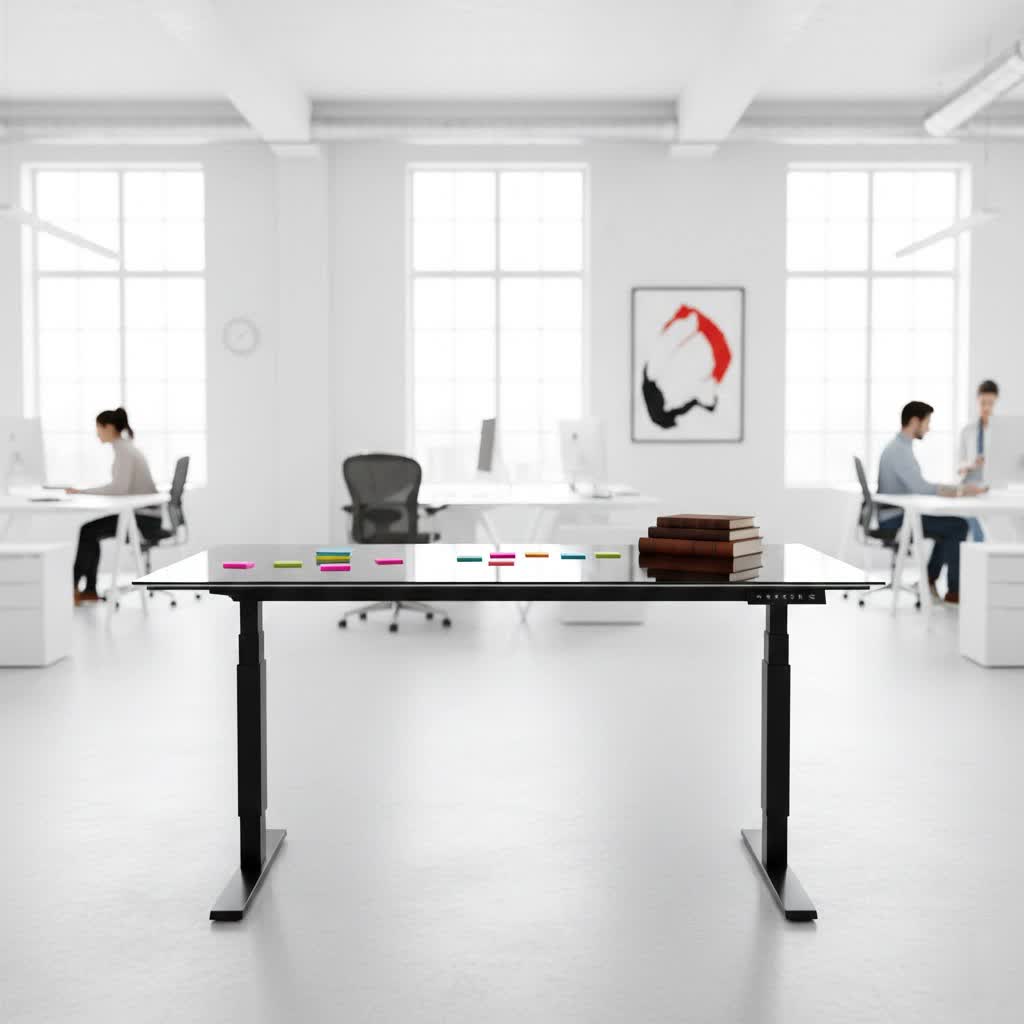
Popular Standing Desk Types You Might Find
When exploring standing desks, you’ll encounter several common categories, each catering to different preferences and budgets. While Costco’s inventory can vary, here are the primary types and how they typically align with available models:
- Manual Height Adjustable Standing Desks: These desks rely on a hand crank or spring-loaded mechanism to adjust height. They are generally the most affordable but require physical effort and offer slower transitions. You’re less likely to find these as full desks at Costco, which tends to favor motorized options, but desk risers might fall into this category.
- Electric Height Adjustable Standing Desks: These are the most common and sought-after, featuring electric motors for smooth, quick, and effortless height changes. Many come with programmable memory presets, allowing you to save your preferred sitting and standing heights. Costco prominently features electric models, such as the Tresanti series, due to their ease of use and modern functionality.
- Standing Desk Converters/Risers: Instead of replacing your entire desk, these devices sit on top of your existing workstation, lifting your monitors and keyboard to a standing height. They are a cost-effective solution for those who want the benefits of a standing desk without a full furniture overhaul. Costco occasionally stocks popular risers like the ApexDesk ZT.
- Folding Standing Desks: Designed for portability and space-saving, these desks can be easily folded and stored when not in use. They are less common as full-featured electric standing desks but might appear in simpler, more compact designs.
- Treadmill or Bike Desks: These integrated workstations allow you to walk or cycle gently while working. They offer maximum physical activity but require significant space and investment. These are generally not standard offerings at Costco.
Costco’s selection primarily focuses on electric height-adjustable standing desks, offering a blend of features and value that appeals to a broad audience looking for a convenient and efficient upgrade.
Key Factors to Consider When Buying a Standing Desk at Costco
Choosing the right standing desk involves more than just picking a model that looks good. Several practical factors can significantly impact your comfort, productivity, and the longevity of your investment. Especially when shopping at a warehouse retailer like Costco, understanding these elements is crucial to ensure you find a desk that truly meets your needs.
Size and Workspace Availability
|
Our Picks for the Best Standing Desk in 2026
As an Amazon Associate I earn from qualifying purchases.
|
||
| Num | Product | Action |
|---|---|---|
| 1 | Veken 55 Inch Large Electric Standing Desk,Sit to Stand Up, Heights Adjustable, Work Home Office Computer Table for Study, Walking Pad, Writing, and Games, Wooden Desktop Desks, White |

|
| 2 | ErGear Height Adjustable Electric Standing Desk, 48 x 24 Inches Sit Stand up Desk, Memory Computer Home Office Desk with Two-Piece Desktop (Walnut) |
|
| 3 | ErGear Height Adjustable Electric Standing Desk, 48 x 24 Inches Sit Stand up Desk, Memory Computer Home Office Desk with Two-Piece Desktop (Vintage Brown) |
|
| 4 | Ergear Height Adjustable Electric Standing Desk, 48x24 Inches Sit Stand up Memory Computer Home Office Desk (Natural),(EGESD5N) |
|
| 5 | HUANUO 32" Small Electric Standing Desk Adjustable Height, 4 Memory Height Settings, Sit Stand Up Desk for Home Office & Computer Workstation, LightWalnut |
|
| 6 | ErGear Height Adjustable Electric Standing Desk, 48 x 24 Inches Sit Stand up Desk, Memory Computer Home Office Desk with Two-Piece Desktop (Grey) |
|
| 7 | Veken 55 Inch Large Electric Standing Desk, 4 Memory Heights Adjustable,Sit to Stand Up, Work Home Office Computer Table for Study, Walking Pad, Writing, and Games, Wooden Desktop Desks, Nature Wood |
|
| 8 | ErGear Height Adjustable Electric Standing Desk, 48 x 24 Inches Sit Stand up Desk, Memory Computer Home Office Desk with Two-Piece Desktop (White) |
|
| 9 | Veken 55 Inch Large Electric Standing Gaming Desk, Heights Adjustable,Sit to Stand Up, Work Home Office Computer Table for Study, Walking Pad, Writing, and Games, Wooden Desktop Desks, Black |
|
| 10 | Veken 55 Inch Large Electric Standing Desk, Heights Adjustable, Sit to Stand Up, Work Home Office Computer Table for Study, Walking Pad, Writing, and Games, Wooden Desktop Desks, Brown |
|
Before anything else, measure your dedicated workspace. Ensure the desk’s dimensions (width and depth) fit comfortably without overcrowding your room. Consider not just the desktop area but also the footprint of the legs and base. Many Costco standing desks, like the Tresanti 47″, are designed for home offices and might offer a more compact footprint, which could be ideal for smaller spaces but potentially limiting for extensive multi-monitor setups.
Height Adjustment Range
The desk’s height range is paramount for ergonomic comfort. It should comfortably accommodate your height both when sitting and standing. For sitting, your elbows should form a 90-degree angle with your forearms parallel to the floor. When standing, the same principle applies. Check the minimum and maximum height specifications. Some Costco models might have a slightly higher minimum height, which could be a concern for shorter individuals, while taller users should confirm the maximum height is sufficient.
Material and Durability
The materials used for the desktop and frame contribute to both aesthetics and durability. Many Costco standing desks, particularly the Tresanti, feature a tempered glass top. This offers a sleek, modern look and is often dry-erase compatible, which can be a fun and functional feature. However, glass tops can show fingerprints and smudges more readily and may require a mouse pad. The frame is typically steel or aluminum, providing a sturdy foundation. Assess the overall build quality to ensure it can withstand daily use.
Weight Capacity
Consider the total weight of your equipment: monitors, laptop, accessories, and any other items you plan to place on the desk. Ensure the standing desk’s specified weight capacity can comfortably support this load. Most electric standing desks from reputable brands at Costco will handle typical office setups, but it’s always wise to check if you have heavier equipment.
Additional Features and Technology
Modern standing desks often come with a host of convenient features. Look for:
- Programmable Memory Presets: Essential for quick transitions between your preferred sitting and standing heights. Many Costco electric desks offer 3 or 4 presets.
- Integrated Charging Ports: USB-A and USB-C ports, often found on Tresanti desks, provide convenient charging for your devices directly from your workstation.
- Wireless Charging Pad: Some models include a built-in Qi-compatible wireless charger, a handy feature for keeping your phone powered up.
- Drawer Storage: A small, integrated drawer can help keep your workspace tidy, perfect for pens, notebooks, and small accessories.
- Anti-Collision System: A safety feature that stops the desk from moving if it encounters an obstacle. While common on higher-end desks, some Costco models might not include this.
- Cable Management: Solutions like clips or trays can help organize wires, reducing clutter.
Costco’s selection, particularly the Tresanti line, often excels in offering these integrated tech features at an accessible price point, enhancing the overall user experience.
Popular Standing Desk Models at Costco: A Comparison
Costco frequently offers several standing desk options, with the Tresanti Adjustable Height Desk being a recurring and popular choice. Here’s a comparative look at some models you might encounter:
| Feature | Tresanti 47″ Adjustable Height Desk (e.g., Geller Model) | FlexiSpot Comhar (similar models occasionally at Costco) | ApexDesk ZT Electric Desk Riser (if full desk not needed) |
|---|---|---|---|
| Type | Electric Standing Desk (Full Desk) | Electric Standing Desk (Full Desk) | Electric Desk Riser (Sits on existing desk) |
| Desktop Mat. | Tempered Glass (often dry-erase compatible) | Wood/Bamboo/Glass options | Typically metal/wood platform |
| Height Range | ~29.3″ – 47″ | ~28.3″ – 49.2″ (wider range, especially lower) | Up to ~17″ above existing desk |
| Motor | Single Motor (quiet) | Single Motor (quiet, often slightly faster) | Single Motor |
| Memory Presets | 3 or 4 | 4 (often) | N/A (Manual buttons for up/down) |
| Charging Ports | 1 USB-A, 2 USB-C (newer models); 2-3 USB-A (older) | 2 USB-A, 1 USB-C (common) | 1 USB-A |
| Wireless Charge | Yes (built-in Qi pad, sometimes a bump-out) | Yes (often embedded) | No |
| Drawer | Yes (integrated with dividers) | Yes (integrated, often open design) | No |
| Anti-Collision | Generally No | Yes (common feature) | No |
| Warranty | 2 years (typical) | 5 years (typical) | Varies (often 1-3 years) |
| Pros | Excellent value, sleek design, integrated tech, easy assembly, Costco return policy. | Wider height range, anti-collision, more desktop options, longer warranty, better cable management. | Affordable, transforms existing desk, compact, often fully assembled. |
| Cons | Glass top shows smudges, can feel small, wireless charger placement, limited selection. | Higher price point, assembly can be more involved. | Can make desk feel cluttered, less aesthetically integrated. |
| Price (approx.) | $249 – $309 (in-store vs. online) | $350 – $500+ | ~$250 |
Note: Prices and specific models at Costco can vary based on region, promotions, and stock availability.
Your Buying Guide for a Standing Desk at Costco
Purchasing a standing desk at Costco can be a savvy move, given their reputation for value and customer service. To ensure a smooth and satisfying experience, follow this step-by-step buying guide tailored for the Costco shopper.
1. Define Your Usage Needs
Start by clearly outlining why you need a standing desk. Is it for full-time work, casual study, or gaming? Do you spend long hours at your computer, or do you simply want the option to alternate positions?
- Full-time work: Prioritize durability, extensive height range, and integrated features like charging ports.
- Casual use/study: A more basic or compact model might suffice.
- Ergonomic relief: Focus on a desk with a broad height adjustment range to find your ideal ergonomic sweet spot.
2. Set Your Budget
Costco is known for competitive pricing. Decide on a realistic budget, keeping in mind that in-store prices are often lower than online prices due to shipping costs. The Tresanti desk, for example, frequently appears in the $250-$350 range. Knowing your budget will help you narrow down options quickly.
3. Research and Compare Costco Offerings
Utilize Costco’s website to see current standing desk models available online. Look for product specifications, features, and crucially, customer reviews. Pay attention to feedback regarding stability, ease of assembly, motor noise, and the functionality of built-in features. Remember that in-store availability can differ, so a trip to your local warehouse might reveal additional options or better prices.
4. Understand Costco’s Return Policy
One of Costco’s biggest advantages is its generous return policy. Most merchandise, including furniture, can be returned for a full refund if you’re not satisfied, typically without a time limit (though electronics may have specific return windows). This provides a significant peace of mind, allowing you to try a standing desk and return it if it doesn’t meet your expectations. Familiarize yourself with the specifics of their return policy before purchase.
5. Consider In-Store vs. Online Purchase
- In-store: Often offers lower prices (no shipping fees) and the chance to see and test the desk in person. However, selection might be limited, and you’ll need to transport it yourself (boxes can be heavy).
- Online: Provides a wider selection, home delivery, and detailed product pages. Expect slightly higher prices due to shipping.
Weigh these factors based on your budget, logistical capabilities, and urgency.
6. Inspect Upon Arrival
Once your desk arrives (or is picked up), carefully inspect all components for any damage before assembly. If purchasing a glass-top desk, check for chips or cracks. Test all electronic functions immediately after assembly, including height adjustment, memory presets, and charging ports.
By following these steps, you can confidently navigate Costco’s standing desk selection and find a high-quality, feature-rich option that supports a healthier and more productive work environment.
The Undeniable Benefits of Embracing a Standing Desk
Transitioning to a standing desk is more than just a trend; it’s a strategic investment in your long-term health and daily efficiency. The human body is designed for movement, not prolonged sitting, and integrating standing periods into your workday can yield a wealth of benefits that extend beyond mere comfort.
Enhance Overall Health
One of the most compelling reasons to use a standing desk is its positive impact on physical health. Prolonged sitting is linked to an increased risk of chronic conditions such as heart disease, type 2 diabetes, and obesity. By regularly switching between sitting and standing, you can reduce these risks, promote better circulation, and even burn more calories throughout the day. “Incorporating standing periods into your workday can significantly lower your risk of developing metabolic syndrome and improve cardiovascular markers,” says Dr. Emily R. Carter, Ergonomics Specialist.
Boost Energy Levels and Focus
Do you often experience an afternoon slump? Standing can be a natural antidote. When you stand, your body is more engaged, leading to increased blood flow and oxygen to the brain. This can translate into sustained energy, reduced fatigue, and improved mental clarity, helping you maintain focus and tackle tasks with greater vigor. Many users report feeling more alert and less sluggish when they integrate standing into their routine.
Alleviate Back and Neck Pain
For many, persistent back and neck pain is a direct consequence of poor posture and prolonged sitting. A properly adjusted standing desk allows you to maintain a more neutral spine position and reduces pressure on your lower back and neck. Alternating between sitting and standing throughout the day helps to decompress spinal discs and strengthens core muscles, offering significant relief from discomfort and preventing future issues.
Improve Posture
Standing naturally encourages better posture by engaging your core and back muscles. It prompts you to keep your shoulders back, chest open, and head aligned with your spine. Over time, consistent standing can help correct slouching habits developed from years of sitting, leading to a more confident and aligned stance even when away from your desk.
Spark Creativity and Collaboration
Breaking free from a static seated position can also stimulate your mind. The simple act of standing can foster a sense of dynamism and openness, which can translate into greater creativity and problem-solving abilities. In collaborative environments, standing desks can make it easier to engage with colleagues, promoting more natural and impromptu discussions compared to being confined to a chair. The ability to move freely can subtly influence how you approach tasks and interact with your work.
Conclusion
Choosing a standing desk from Costco, particularly a popular model like the Tresanti, offers a fantastic opportunity to upgrade your workspace with exceptional value and peace of mind. By considering factors like size, height range, materials, and the array of integrated features, you can find a desk that not only fits your physical space but also significantly enhances your well-being and productivity. The benefits of integrating standing into your daily routine—from improved health and reduced pain to increased energy and focus—are profound and long-lasting. With Costco’s competitive pricing and strong return policy, taking the leap into the world of adjustable workstations is more accessible than ever. So, are you ready to transform your workday and stand tall towards a healthier, more dynamic future?
Frequently Asked Questions
What is the typical price range for a standing desk at Costco?
Standing desks at Costco, particularly popular electric models like the Tresanti, typically range from $249 to $309 USD. Prices can vary based on whether you purchase in-store or online, with in-store options often being more affordable due to waived shipping costs. It’s always a good idea to check current promotions and local warehouse availability.
Do Costco standing desks come with a warranty?
Yes, most standing desks sold at Costco, including the Tresanti models, come with a manufacturer’s warranty. For the Tresanti, a 2-year warranty is common. Additionally, Costco’s overall generous return policy provides an extra layer of confidence, allowing members to return items if they are not satisfied.
Are Costco standing desks difficult to assemble?
Many Costco standing desks, such as the Tresanti, are designed for relatively easy assembly. Reviews often suggest that assembly can be completed in as little as 15-30 minutes with basic tools, usually included. While components can be heavy, requiring an extra pair of hands for lifting, the process itself is generally straightforward.
Can I use a monitor arm with a glass-top standing desk from Costco?
Using a monitor arm with a glass-top desk, like many Tresanti models, requires caution. While the tempered glass is strong, clamping a monitor arm directly to the edge can put undue stress on the glass, potentially leading to cracks. It’s generally recommended to use a freestanding monitor stand or a clamp that distributes weight over a wider surface area (e.g., with protective pads), or to opt for a desk with a different desktop material if a clamped monitor arm is essential for your setup.
