In a world increasingly defined by digital work, many of us find ourselves rooted to our chairs for hours on end. This sedentary lifestyle, while convenient, can take a significant toll on our health, leading to discomfort, reduced energy, and even long-term health issues. But what if a simple change to your workstation could revolutionize your daily routine, boosting both your well-being and productivity? Enter the Standing Computer Desk, a dynamic solution designed to transform how you work. This comprehensive guide will navigate the world of standing desks, offering expert insights to help you find the perfect model to invigorate your workspace and enhance your life.
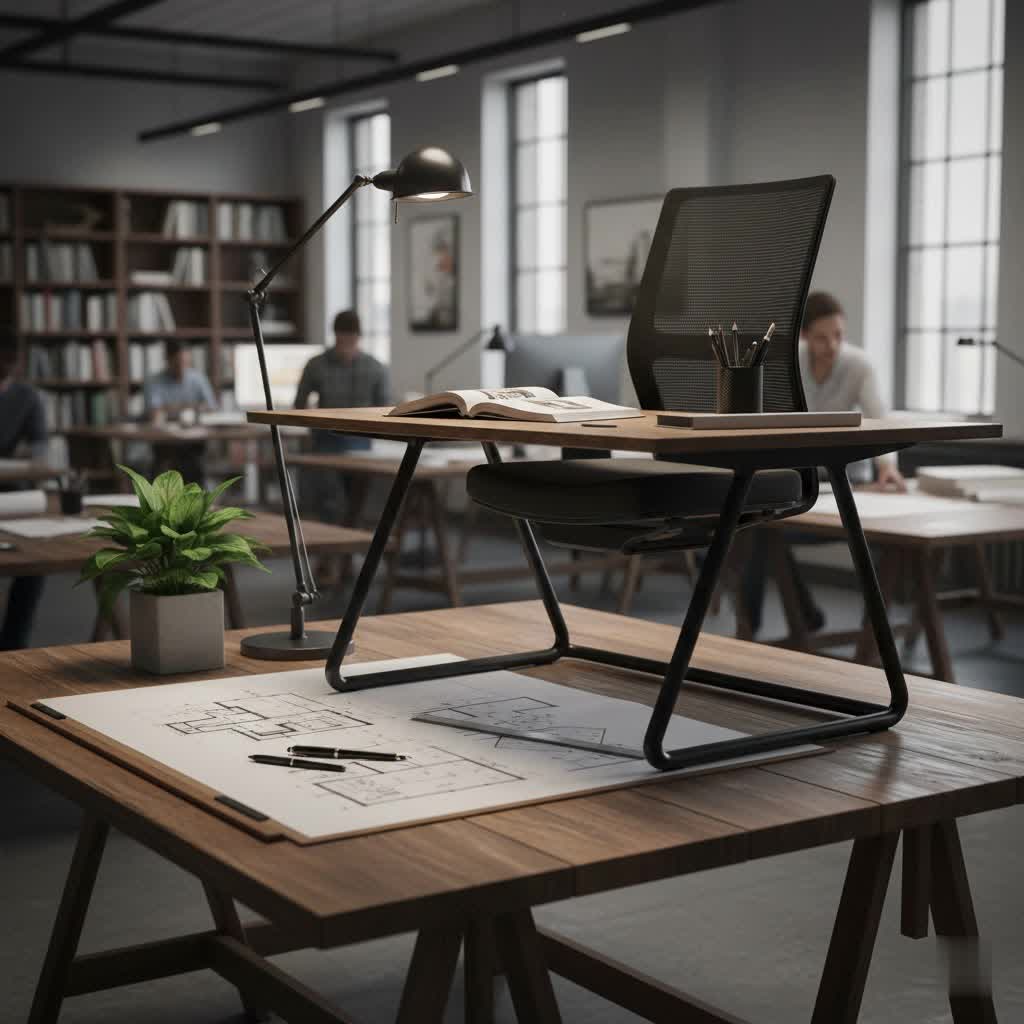
Choosing the Right Standing Computer Desk: A Detailed Guide
Selecting the ideal standing computer desk involves understanding the different types available and the critical factors that will influence your experience. From manual simplicity to electric sophistication, each desk offers unique advantages tailored to various needs and preferences.
Popular Types of Standing Desks
The market offers a diverse range of standing desks, each with distinct mechanisms and functionalities. Understanding these categories is the first step toward making an informed choice.
- Manual Height-Adjustable Standing Desks: These desks rely on a hand crank or pneumatic gas lift system to adjust height. They are typically more affordable, quieter than electric models, and don’t require a power outlet. However, adjusting the height can take more effort and time, which might deter frequent transitions.
- Electric Height-Adjustable Standing Desks: The most popular type, electric standing desks use motors to effortlessly raise and lower the desktop with the push of a button. Many come with programmable memory presets, allowing you to save your preferred sitting and standing heights for quick transitions. Dual-motor systems often provide greater stability and weight capacity compared to single-motor desks.
- Standing Desk Converters: Instead of replacing your entire desk, a converter sits on top of your existing workstation, lifting your monitors and keyboard to standing height. These are a cost-effective and space-saving option, ideal for those who want to try a standing setup without a full desk investment.
- Specialized Standing Desks: This category includes L-shaped standing desks for corner setups or extensive workspaces, and desks designed with integrated features like treadmill compatibility for an ultra-active workstation. Some high-end models may also offer advanced cable management systems or built-in power outlets.
|
Our Picks for the Best Standing Desk in 2026
As an Amazon Associate I earn from qualifying purchases.
|
||
| Num | Product | Action |
|---|---|---|
| 1 | ErGear Height Adjustable Electric Standing Desk, 48 x 24 Inches Sit Stand up Desk, Memory Computer Home Office Desk with Two-Piece Desktop (Walnut) |

|
| 2 | ErGear Height Adjustable Electric Standing Desk, 48 x 24 Inches Sit Stand up Desk, Memory Computer Home Office Desk with Two-Piece Desktop (Grey) |
|
| 3 | Veken 55 Inch Large Electric Standing Desk, 4 Memory Heights Adjustable,Sit to Stand Up, Work Home Office Computer Table for Study, Walking Pad, Writing, and Games, Wooden Desktop Desks, Nature Wood |
|
| 4 | Veken 55 Inch Large Electric Standing Desk,Sit to Stand Up, Heights Adjustable, Work Home Office Computer Table for Study, Walking Pad, Writing, and Games, Wooden Desktop Desks, White |
|
| 5 | ErGear Height Adjustable Electric Standing Desk, 48 x 24 Inches Sit Stand up Desk, Memory Computer Home Office Desk with Two-Piece Desktop (Vintage Brown) |
|
| 6 | Ergear Height Adjustable Electric Standing Desk, 48x24 Inches Sit Stand up Memory Computer Home Office Desk (Natural),(EGESD5N) |
|
| 7 | Veken 55 Inch Large Electric Standing Gaming Desk, Heights Adjustable,Sit to Stand Up, Work Home Office Computer Table for Study, Walking Pad, Writing, and Games, Wooden Desktop Desks, Black |
|
| 8 | ErGear Height Adjustable Electric Standing Desk, 48 x 24 Inches Sit Stand up Desk, Memory Computer Home Office Desk with Two-Piece Desktop (White) |
|
| 9 | HUANUO 32" Small Electric Standing Desk Adjustable Height, 4 Memory Height Settings, Sit Stand Up Desk for Home Office & Computer Workstation, LightWalnut |
|
| 10 | Veken 55 Inch Large Electric Standing Desk, Heights Adjustable, Sit to Stand Up, Work Home Office Computer Table for Study, Walking Pad, Writing, and Games, Wooden Desktop Desks, Brown |
|
Key Factors to Consider When Buying a Standing Desk
Before committing to a purchase, several critical elements should guide your decision to ensure the desk meets your specific ergonomic and functional needs.
- Size and Workspace: Measure your available space carefully. Consider the dimensions of the desktop you need to comfortably accommodate your monitors, computer tower, keyboard, mouse, and any other peripherals or documents. A larger surface area offers more flexibility, especially for multi-monitor setups.
- Height Adjustment Range: This is paramount for proper ergonomics. The desk should be able to lower enough for a comfortable sitting position (typically with elbows at a 90-degree angle) and rise high enough for a comfortable standing position (monitor at eye level, elbows at 90 degrees). Ensure the range accommodates your height, whether you’re tall, short, or somewhere in between.
- Material and Durability: Standing desks are an investment, so assess the quality of the desktop material (e.g., laminate, wood, bamboo) and the frame (e.g., steel, aluminum). Durable materials and robust construction ensure longevity and stability.
- Weight Capacity: Check the maximum weight the desk can support. This is crucial if you plan to place multiple heavy monitors, a desktop PC, books, or other substantial equipment on your desk. Desks with dual motors generally offer higher weight capacities.
- Additional Features: Modern standing desks come with various conveniences. Look for features like programmable memory presets for easy height adjustments, integrated cable management systems to keep your workspace tidy, built-in USB ports, or even drawers for extra storage.
- Stability and Motor Quality: A wobbly desk can be incredibly distracting and uncomfortable. Prioritize desks known for their stability, particularly at higher extensions. For electric desks, consider the number of motors (dual motors typically offer better stability and smoother, quieter operation) and the noise level during adjustment.
Popular Standing Computer Desk Models: A Comparison Table
To give you an idea of what’s available, here’s a comparison of common types and their general characteristics. Please note, specific models and prices vary widely by brand and retailer.
| Desk Type | Mechanism | Typical Pros | Typical Cons | Price Range (USD) |
|---|---|---|---|---|
| Manual Crank Desk | Hand Crank | Affordable, no power needed, quiet | Slower adjustments, more effort, lower weight capacity | $150 – $350 |
| Pneumatic Lift Desk | Gas Spring | Quick adjustments, no power needed, quiet | Limited weight capacity, less precise height control | $250 – $600 |
| Single-Motor Electric | Electric Motor | Easy adjustments, memory presets | Can be slower/noisier, lower weight capacity, less stable | $300 – $700 |
| Dual-Motor Electric | Two Electric Motors | Fast & quiet adjustments, high stability, memory presets, high weight capacity | Higher price point, requires power, heavier frame | $500 – $1500+ |
| Desk Converter | Manual/Gas Spring | Affordable, uses existing desk, portable | Limited surface area, can look clunky, less stable | $100 – $400 |
Standing Desk Buying Guide
Making the final decision can feel overwhelming with so many options. Follow these steps to streamline your purchasing process.
- Define Your Needs: Begin by identifying your primary use case. Are you a professional gamer, a graphic designer, a student, or someone who simply wants to reduce sitting time? What equipment do you use daily? Understanding your workflow and equipment needs will help narrow down suitable desk types and sizes.
- Set a Budget: Standing desks range significantly in price. Establish a realistic budget, but remember that a standing desk is an investment in your health and productivity. Balancing quality, features, and cost is key to finding good value.
- Research and Compare: Don’t rush the decision. Read reviews from trusted sources, watch video demonstrations, and compare specifications across different brands and models. Pay attention to feedback regarding stability, motor noise, and customer service experiences. Look into warranty information and return policies before purchasing.
- Purchase from Reputable Sellers: Buy from established brands or retailers known for their quality products and excellent customer support. A good warranty and responsive customer service can save you headaches down the line.
- Inspect Before Finalizing: If possible, try out a desk in person or thoroughly inspect your purchase upon arrival. Ensure all components are present, there are no defects, and the adjustment mechanism works smoothly.
Benefits of Using a Standing Computer Desk
The adoption of standing desks has surged due to the myriad of advantages they offer, extending beyond mere comfort to significant improvements in health and work performance.
- Improved Health: Prolonged sitting is linked to various health problems, including obesity, type 2 diabetes, and cardiovascular disease. Standing desks encourage movement and can significantly reduce your sedentary time. They help alleviate lower back and neck pain by promoting better posture, and increase circulation, which can lower blood sugar levels and improve heart health.
- Increased Energy and Focus: Many users report a noticeable boost in energy and mental alertness when incorporating standing into their workday. Changing positions helps combat the “afternoon slump,” leading to sustained concentration and enhanced cognitive function. This improved focus often translates directly into higher productivity.
- Enhanced Creativity: A shift in physical posture can sometimes spark a mental shift. Standing up can encourage more dynamic thinking and interaction, fostering a more creative and problem-solving mindset. It allows for small movements, preventing the mental stagnation that can occur during long periods of sitting.
- Reduced Fatigue: Counterintuitively, alternating between sitting and standing can reduce overall fatigue. By avoiding static positions, you prevent muscles from stiffening and blood pooling in your legs. This dynamic approach keeps your body more engaged and less prone to the aches and stiffness associated with prolonged single-position work.
“A standing desk isn’t just about avoiding sitting; it’s about integrating purposeful movement into your day, which research consistently shows can lead to a more vibrant and effective work life.”
Conclusion
Embracing a standing computer desk is more than just a trend; it’s a commitment to a healthier, more dynamic, and productive work life. By allowing you to seamlessly alternate between sitting and standing, these desks actively combat the negative effects of prolonged stillness, fostering improved physical comfort, enhanced mental clarity, and a noticeable boost in overall well-being. From electric precision to manual simplicity, a standing desk exists for every need and budget.
Ready to transform your workspace and experience the benefits for yourself? Explore the options, consider your unique needs, and make the switch to a standing computer desk today. What positive changes do you anticipate it bringing to your daily routine?
Frequently Asked Questions
What is the ideal ratio of sitting to standing when using a standing desk?
Experts generally recommend alternating between sitting and standing throughout the day. A common guideline suggests sitting for 30-45 minutes and then standing for 5-15 minutes, or spending roughly one hour standing for every one to two hours of sitting. The key is to avoid prolonged periods in any single position and listen to your body’s cues.
Do I need any accessories for my standing computer desk?
While not strictly necessary, several accessories can significantly enhance your standing desk experience. An anti-fatigue mat can provide cushioning and support for your feet and legs, reducing discomfort during standing periods. Monitor arms are excellent for achieving optimal screen height and decluttering your desktop, while a CPU holder can keep your computer tower off the floor and out of the way. Cable management solutions are also highly recommended to maintain a neat and organized workspace.
