In an era where sedentary lifestyles are increasingly recognized for their adverse health effects, the “Fully Standing Desk”—more accurately known as a height-adjustable or sit-stand desk—has emerged as a transformative solution for modern workspaces. If you’ve ever felt the mid-afternoon slump, experienced persistent back pain, or simply yearned for more movement during your workday, a standing desk could be the ergonomic upgrade you need. This guide, drawing on over a decade of hands-on experience, aims to demystify the world of adjustable workstations, helping you navigate the options and choose the ideal fully standing desk to enhance your health, focus, and overall well-being.
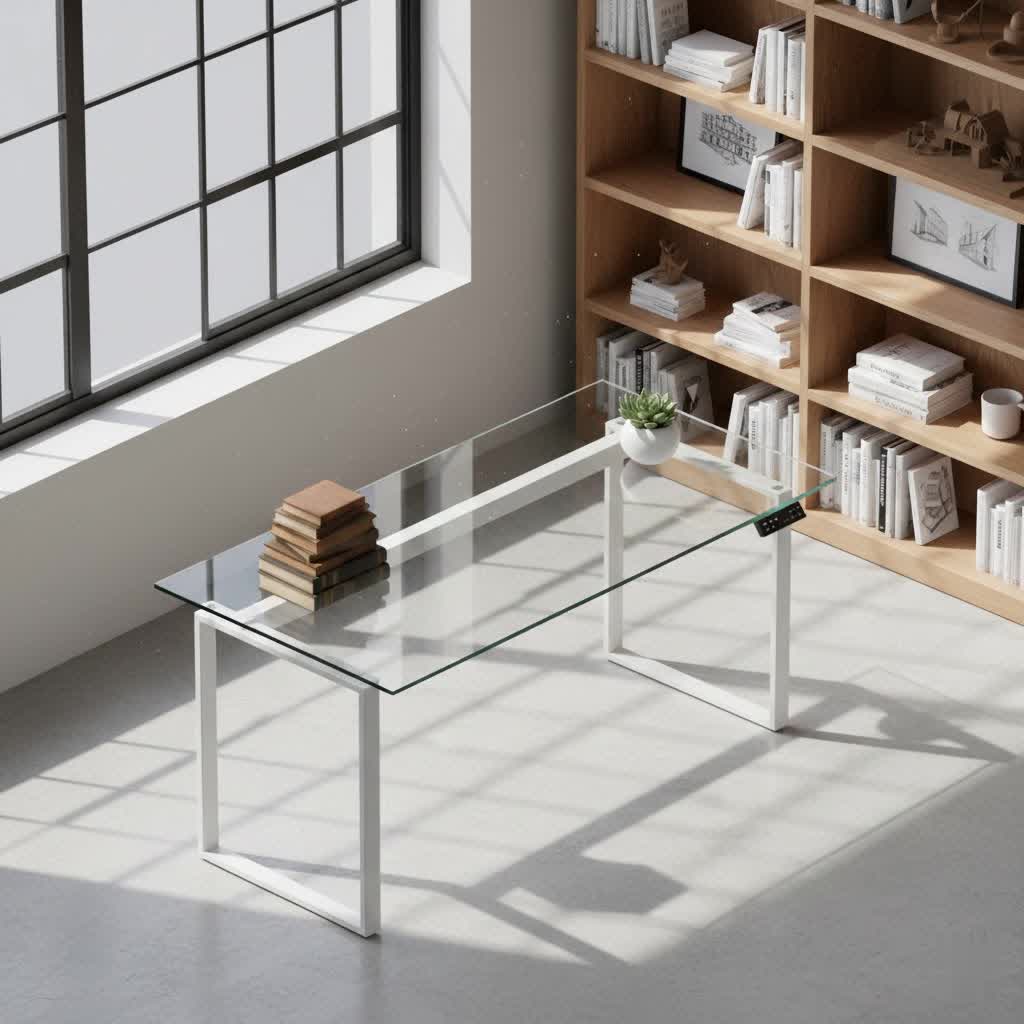
Understanding the Fully Standing Desk: More Than Just a Trend
A fully standing desk is an innovative piece of office furniture designed to allow users to seamlessly transition between sitting and standing positions throughout the day. Unlike traditional fixed-height desks or even static standing desks (which remain at a single, elevated height), these adjustable models offer dynamic flexibility. They empower you to change your posture frequently, a critical factor in combating the health risks associated with prolonged immobility and promoting a more active, ergonomic work environment.
Popular Types of Standing Desks
The market offers a variety of fully standing desk options, each with distinct mechanisms and features. Understanding these types is the first step toward finding one that aligns with your specific needs.
- Manual Height Adjustable Desks: These desks typically use a hand crank to raise and lower the desktop. While generally more affordable and not requiring power, they can be less convenient for frequent adjustments, often leading users to change positions less often than recommended.
- Electric Height Adjustable Desks: The most popular type, electric standing desks utilize one or more motors to smoothly and quietly adjust the height at the push of a button. Many models include programmable memory presets, allowing you to save your ideal sitting and standing heights for quick transitions. They are often robust and can support significant weight.
- Pneumatic (Gas Lift) Standing Desks: Offering a middle ground between manual and electric, pneumatic desks use a gas cylinder for height adjustment, similar to an office chair. They are power-free and provide a smooth, quick lift, though their weight capacity might be lower than electric models.
- Standing Desk Converters: For those not ready to replace their entire desk, a converter sits on top of your existing workstation, elevating your monitor, keyboard, and mouse. These are a cost-effective way to experiment with a standing setup, though they might offer less workspace and stability than full desks.
- Standing Desks with Integrated Features: Some advanced models incorporate specialized features like integrated treadmills for walking while working, or bike attachments, pushing the boundaries of active workstations.
Essential Factors When Choosing Your Standing Desk
Selecting the right fully standing desk involves more than just picking a stylish design. Several key considerations will ensure your investment genuinely improves your workspace ergonomics and longevity.
- Size and Workspace: Measure your available space carefully. Consider the dimensions of the desktop (width and depth) to ensure it comfortably accommodates all your equipment (monitors, laptop, accessories) and provides ample room for spreading out. A deeper desk (at least 20-30 inches) is often preferred for maintaining proper viewing distance from monitors.
- Height Adjustment Range: This is paramount for ergonomics. The desk must be able to lower enough for a comfortable sitting position (typically with elbows at a 90-degree angle and feet flat on the floor) and rise high enough for proper standing posture. If multiple people will use the desk, opt for one with a broad adjustment range to accommodate various heights.
- Material and Durability: Standing desks come with various desktop materials, including laminate (affordable, diverse finishes), bamboo (durable, eco-friendly), and solid wood (premium aesthetics, robust). The frame’s build quality, often steel, dictates overall stability and longevity. Thicker legs and a heavier frame generally indicate better durability.
- Weight Capacity: Ensure the desk can safely support the total weight of your monitors, computer, accessories, and anything else you plan to keep on it. Overloading can strain the motors (for electric desks) and compromise stability.
- Stability: A stable desk is crucial, especially at its maximum standing height. Look for desks with multi-stage (e.g., three-stage) leg columns and, if possible, four-leg frames, as these typically offer superior stability compared to two-stage or two-leg designs, minimizing wobble during use.
- Motor Quality & Noise (for electric desks): High-quality electric desks feature smooth, quiet motors. Cheaper models might have noisier single motors that struggle with heavier loads. Dual-motor systems are often preferred for their power, speed, and reliability.
- Additional Features: Consider built-in cable management trays to keep your workspace tidy, programmable memory presets for effortless height transitions, integrated USB charging ports, or even discreet drawers for storage. An anti-fatigue mat is a highly recommended accessory for comfortable standing periods.
- Budget: Standing desk prices vary significantly. Establish a realistic budget that includes any necessary accessories like monitor arms or an anti-fatigue mat. Remember that a higher initial investment often translates to better quality, stability, and longevity.
Comparison Table of Popular Standing Desk Models
To provide a snapshot of what’s available, here’s a general comparison based on common features and market reputation:
| Brand | Model | Pros | Cons | Estimated Price Range |
|---|---|---|---|---|
| FlexiSpot | E7 Series | Excellent stability, wide range of sizes, quiet motors, programmable presets, good warranty | Assembly can be involved, some models higher priced | $400 – $800 |
| Uplift Desk | V3 | Highly customizable, stable, dual-motor system, good cable management included | Higher price point, assembly time | $600 – $1200 |
| Autonomous | SmartDesk Core | Sleek design, integrated power options, smooth operation, good value | Limited size options for some models, can be heavy | $400 – $900 |
| Vari | Electric Standing Desk | Easy assembly, very stable, reliable, good customer support | Can be pricier than some alternatives, fewer desktop options | $550 – $1100 |
Note: Prices are estimated and can vary based on sales, configurations, and retailers.
Your Comprehensive Standing Desk Buying Guide
Making an informed decision about your fully standing desk requires a methodical approach to ensure it truly serves your needs.
- Define Your Needs: Begin by identifying your primary purpose. Will the desk be for a single user or shared? What type of tasks will you perform? How many monitors and what other equipment do you use? This clarifies the required size, weight capacity, and features.
- Set a Realistic Budget: Standing desks are an investment. Determine how much you are willing to spend, remembering to factor in potential accessories like an anti-fatigue mat, monitor arms, or ergonomic chair, which can significantly enhance your experience.
- Research and Compare Thoroughly: Read expert reviews, user testimonials, and product specifications. Compare different models across brands based on stability, height range, motor type, materials, and warranty. Don’t solely rely on price; a cheaper desk might compromise on essential ergonomic features or durability.
- Purchase from Reputable Suppliers: Choose brands or retailers known for quality products, excellent customer service, and robust warranty policies. A good warranty provides peace of mind and protection for your investment.
- Inspect Before Finalizing: If possible, try out the desk in person. Check for any wobbling at standing height, listen to the motor’s noise (if electric), and test the height adjustment mechanism for smoothness. Upon delivery, inspect for any damage or defects.
The Transformative Benefits of a Standing Desk
Embracing a fully standing desk is more than just a momentary trend; it’s a commitment to a healthier, more dynamic work life. The benefits extend far beyond simply altering your posture.
- Boosted Health & Well-being: Prolonged sitting has been linked to various health concerns. Regularly alternating between sitting and standing can reduce the risk of chronic conditions like heart disease, type 2 diabetes, and obesity by encouraging greater movement and calorie expenditure. This simple change significantly improves blood circulation throughout your body.
- Enhanced Comfort & Posture: A well-adjusted standing desk can dramatically alleviate common complaints such as back and neck pain. By promoting natural spinal alignment and engaging core muscles, it reduces the compressive forces on your spine and the strain that often builds up from hours in a fixed, seated position.
- Increased Energy & Productivity: Many users report feeling more alert, focused, and energized throughout the day when using a standing desk. The ability to shift positions combats the midday slump, keeps blood flowing to the brain, and can even stimulate creativity by literally changing your perspective.
“Integrating a standing desk into your daily routine is a proactive step towards mitigating the health risks of prolonged sitting. The key is mindful use and regular posture changes, not static standing.” – Dr. Elena Petrova, Ergonomics Specialist
Mastering Your Standing Desk: Ergonomic Best Practices
To unlock the full potential of your fully standing desk, proper ergonomic setup and usage are critical.
- The 90-Degree Rule: Whether sitting or standing, ensure your elbows are bent at approximately a 90-degree angle when your hands are on your keyboard. Your forearms should be parallel to the floor, and your knees should also form a 90-degree angle when seated, with feet flat on the floor or on a footrest.
- Monitor Placement: Position your monitor directly in front of you, about an arm’s length (20-28 inches) away. The top edge of your screen should be at or slightly below eye level. This prevents neck strain from looking up or down.
- Maintain Neutral Posture: Stand tall with your head aligned over your spine, shoulders relaxed, and hips upright. Distribute your weight evenly between both feet. Avoid slouching, leaning on one leg, or over-arching your back. Engaging your core muscles slightly can help maintain this neutral spine.
- Alternate Positions: The most crucial tip is to avoid static standing for extended periods. Aim to switch between sitting and standing every 30 to 60 minutes. This dynamic movement is far more beneficial than either prolonged sitting or standing alone.
- Essential Accessories: Invest in an anti-fatigue mat to reduce pressure on your feet and legs during standing periods. Wear supportive footwear. Consider monitor arms if your desk’s height adjustment doesn’t perfectly align your screen, allowing independent adjustment of monitor height.
“While standing desks offer immense benefits, optimal results come from listening to your body, alternating positions, and ensuring your workstation setup supports natural, strain-free posture.” – Dr. Marcus Chen, Occupational Health Physician
Conclusion
The journey to finding the perfect fully standing desk is an investment in your long-term health, comfort, and productivity. By understanding the different types, carefully considering key factors like stability and height range, and committing to ergonomic best practices, you can transform your workspace into a dynamic environment that supports your well-being. Don’t settle for a static setup; empower yourself with the flexibility to move and thrive throughout your workday. Are you ready to take a stand for your health and revolutionize your work experience?
Frequently Asked Questions
What exactly is a “fully standing desk”?
|
Our Picks for the Best Standing Desk in 2026
As an Amazon Associate I earn from qualifying purchases.
|
||
| Num | Product | Action |
|---|---|---|
| 1 | ErGear Height Adjustable Electric Standing Desk, 48 x 24 Inches Sit Stand up Desk, Memory Computer Home Office Desk with Two-Piece Desktop (Walnut) |

|
| 2 | Ergear Height Adjustable Electric Standing Desk, 48x24 Inches Sit Stand up Memory Computer Home Office Desk (Natural),(EGESD5N) |
|
| 3 | ErGear Height Adjustable Electric Standing Desk, 48 x 24 Inches Sit Stand up Desk, Memory Computer Home Office Desk with Two-Piece Desktop (Vintage Brown) |
|
| 4 | Veken 55 Inch Large Electric Standing Desk,Sit to Stand Up, Heights Adjustable, Work Home Office Computer Table for Study, Walking Pad, Writing, and Games, Wooden Desktop Desks, White |
|
| 5 | ErGear Height Adjustable Electric Standing Desk, 48 x 24 Inches Sit Stand up Desk, Memory Computer Home Office Desk with Two-Piece Desktop (White) |
|
| 6 | HUANUO 32" Small Electric Standing Desk Adjustable Height, 4 Memory Height Settings, Sit Stand Up Desk for Home Office & Computer Workstation, LightWalnut |
|
| 7 | Veken 55 Inch Large Electric Standing Desk, Heights Adjustable, Sit to Stand Up, Work Home Office Computer Table for Study, Walking Pad, Writing, and Games, Wooden Desktop Desks, Brown |
|
| 8 | Veken 55 Inch Large Electric Standing Gaming Desk, Heights Adjustable,Sit to Stand Up, Work Home Office Computer Table for Study, Walking Pad, Writing, and Games, Wooden Desktop Desks, Black |
|
| 9 | Veken 55 Inch Large Electric Standing Desk, 4 Memory Heights Adjustable,Sit to Stand Up, Work Home Office Computer Table for Study, Walking Pad, Writing, and Games, Wooden Desktop Desks, Nature Wood |
|
| 10 | ErGear Height Adjustable Electric Standing Desk, 48 x 24 Inches Sit Stand up Desk, Memory Computer Home Office Desk with Two-Piece Desktop (Grey) |
|
A “fully standing desk” typically refers to an adjustable height desk, often called a sit-stand desk, that allows users to effortlessly switch between sitting and standing positions throughout the workday. Unlike fixed-height standing desks, these models offer dynamic flexibility for improved ergonomics and health.
How often should I switch between sitting and standing?
Most experts recommend alternating between sitting and standing every 30 to 60 minutes. The goal is to avoid prolonged static postures, whether sitting or standing, to keep your body moving, improve circulation, and reduce fatigue.
Can a standing desk really help with back pain?
Yes, a standing desk can significantly reduce back and neck pain by promoting movement and relieving pressure on your spine. When used with proper ergonomic setup, it encourages better posture and reduces the strain associated with extended periods of sitting.
Are standing desks expensive?
The cost of standing desks varies widely, from a few hundred dollars for basic models or converters to over a thousand for premium, feature-rich electric desks. Prices depend on motor quality, materials, stability, and additional features like memory presets and cable management.
What essential accessories do I need for a standing desk?
Key accessories include an anti-fatigue mat to reduce foot and leg discomfort during standing periods, supportive footwear, and potentially a monitor arm to achieve optimal screen height for ergonomic posture. Cable management solutions are also highly recommended for a tidy workspace.
How do I ensure my standing desk is at the correct ergonomic height?
When standing, adjust the desk so your elbows are bent at a 90-degree angle with your forearms parallel to the floor and your hands resting comfortably on your keyboard. Your monitor’s top edge should be at or slightly below eye level, about an arm’s length away.
Do I need to stand all day to reap the benefits?
Absolutely not. Standing all day can be just as detrimental as sitting all day. The maximum benefits come from integrating frequent movement and consciously alternating between sitting and standing positions. The aim is dynamic movement, not static standing.
