In today’s fast-paced world, many of us spend countless hours seated, a habit that, while common, can quietly chip away at our well-being. Have you ever noticed that midday slump or that persistent ache in your back and neck after a long stretch at your desk? An Ergonomic Standing Desk isn’t just a piece of furniture; it’s a pivotal tool designed to transform your work environment, offering a dynamic alternative to prolonged sitting and fostering a healthier, more productive you. This comprehensive guide will walk you through everything you need to know about choosing the ideal ergonomic standing desk, ensuring you make an informed decision that benefits your health and enhances your professional life.
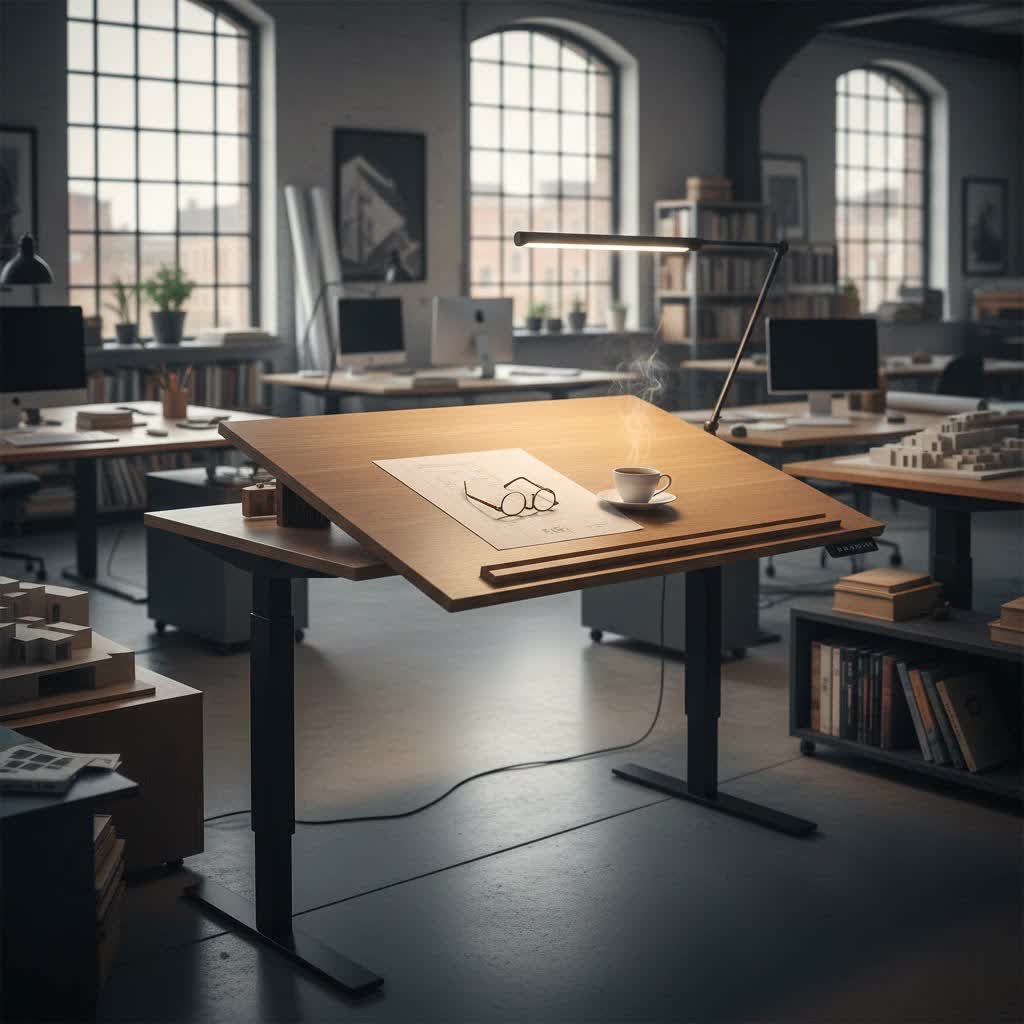
Choosing the Right Standing Desk: A Detailed Guide
An ergonomic standing desk allows you to seamlessly transition between sitting and standing throughout your workday, promoting better posture and overall health. Understanding the different types available and what makes them ergonomic is crucial for finding your perfect match.
Common Types of Standing Desks
The primary distinction among standing desks lies in their adjustment mechanism, each offering a unique balance of convenience, stability, and price point.
- Manual Height-Adjustable Standing Desks: These desks typically use a hand crank to raise or lower the desktop. They are generally the most affordable option and don’t require electricity, making them suitable for budget-conscious users or areas without easy power access. However, adjusting the height can be slower and requires physical effort.
- Pneumatic Height-Adjustable Standing Desks: Utilizing a gas cylinder system similar to office chairs, pneumatic desks adjust height with a lever, offering smooth and quick transitions without the need for electricity. They are often a mid-range option, providing more ease than manual desks but less automation than electric models.
- Electric Height-Adjustable Standing Desks: These are the most popular and versatile type, featuring electric motors that adjust the desk height at the touch of a button. Electric desks come with various motor configurations: single-motor desks are typically more affordable, while dual-motor or quad-motor systems offer greater stability, faster adjustments, and higher weight capacities, ideal for heavier setups or frequent height changes. Many electric desks also include programmable height presets for convenience.
- Standing Desk Converters: While not full desks, converters sit on top of an existing desk, allowing you to raise your monitors and keyboard to a standing height. They are an economical way to experience standing work without replacing your entire desk setup, though they might offer less workspace and stability than dedicated standing desks.
|
Our Picks for the Best Standing Desk in 2026
As an Amazon Associate I earn from qualifying purchases.
|
||
| Num | Product | Action |
|---|---|---|
| 1 | Veken 55 Inch Large Electric Standing Gaming Desk, Heights Adjustable,Sit to Stand Up, Work Home Office Computer Table for Study, Walking Pad, Writing, and Games, Wooden Desktop Desks, Black |

|
| 2 | ErGear Height Adjustable Electric Standing Desk, 48 x 24 Inches Sit Stand up Desk, Memory Computer Home Office Desk with Two-Piece Desktop (Vintage Brown) |
|
| 3 | Veken 55 Inch Large Electric Standing Desk, 4 Memory Heights Adjustable,Sit to Stand Up, Work Home Office Computer Table for Study, Walking Pad, Writing, and Games, Wooden Desktop Desks, Nature Wood |
|
| 4 | Veken 55 Inch Large Electric Standing Desk,Sit to Stand Up, Heights Adjustable, Work Home Office Computer Table for Study, Walking Pad, Writing, and Games, Wooden Desktop Desks, White |
|
| 5 | HUANUO 32" Small Electric Standing Desk Adjustable Height, 4 Memory Height Settings, Sit Stand Up Desk for Home Office & Computer Workstation, LightWalnut |
|
| 6 | ErGear Height Adjustable Electric Standing Desk, 48 x 24 Inches Sit Stand up Desk, Memory Computer Home Office Desk with Two-Piece Desktop (Walnut) |
|
| 7 | ErGear Height Adjustable Electric Standing Desk, 48 x 24 Inches Sit Stand up Desk, Memory Computer Home Office Desk with Two-Piece Desktop (White) |
|
| 8 | ErGear Height Adjustable Electric Standing Desk, 48 x 24 Inches Sit Stand up Desk, Memory Computer Home Office Desk with Two-Piece Desktop (Grey) |
|
| 9 | Veken 55 Inch Large Electric Standing Desk, Heights Adjustable, Sit to Stand Up, Work Home Office Computer Table for Study, Walking Pad, Writing, and Games, Wooden Desktop Desks, Brown |
|
| 10 | Ergear Height Adjustable Electric Standing Desk, 48x24 Inches Sit Stand up Memory Computer Home Office Desk (Natural),(EGESD5N) |
|
Key Factors When Purchasing a Standing Desk
Selecting the right ergonomic standing desk involves more than just picking a style; it requires considering several critical factors to ensure it meets your specific needs and workspace requirements.
- Size and Workspace: Measure your available space meticulously to ensure the desk fits comfortably without obstructing movement or other furniture. Consider both the width and depth of the desktop, as well as the footprint of the desk legs. Ample desktop space is essential for monitors, keyboards, mice, and other peripherals, preventing clutter and promoting an organized workstation.
- Height Adjustment Range: This is perhaps the most crucial ergonomic factor. An ideal standing desk should accommodate your unique seated and standing heights, ensuring your elbows remain at a 90-degree angle with your feet flat on the floor (when sitting) or with your forearms parallel to the floor (when standing). Check the desk’s minimum and maximum height to ensure it fits your stature perfectly, especially if you are taller or shorter than average.
- Material and Durability: The materials used in a standing desk directly impact its longevity and stability. Steel frames are renowned for their robustness and stability, making them excellent for heavy-duty, long-term use. Aluminum frames offer a lighter alternative while still providing a strong base. For the desktop, popular choices include solid wood, laminate, or melamine-faced chipboard (MFC), each offering different aesthetics and levels of scratch resistance.
- Weight Capacity: Every standing desk has a maximum weight limit it can safely support. It’s vital to ensure the desk can handle the combined weight of your monitors, laptop, keyboard, mouse, and any other accessories you plan to place on it. Exceeding this limit can damage the motor (for electric desks) or compromise the desk’s stability. Dual-motor electric desks typically offer higher weight capacities.
- Stability: A wobbly desk can be a significant distraction and disrupt your workflow. Look for desks with robust frames and well-engineered lifting mechanisms. Desks with dual or quad motors generally provide superior stability, especially at higher standing heights, ensuring your setup remains firm and secure.
- Additional Features: Modern standing desks often come with a range of features that enhance functionality and user experience. Look for convenient additions such as programmable height presets, which allow you to save your preferred sit and stand heights for quick transitions. Integrated cable management trays help keep your workspace tidy, while built-in USB ports or drawers add practical storage and connectivity options. Some desks even offer curved front edges for improved ergonomic comfort.
Expert Buying Guide Tips
Navigating the multitude of options can be daunting. Here are practical steps to guide your purchase:
- Assess Your Usage Needs: Determine how you plan to use the desk. Is it for occasional standing, or will you be transitioning frequently throughout the day? Do you need to support multiple monitors or heavy equipment? Your usage pattern will influence the type of adjustment mechanism and weight capacity you require.
- Set a Realistic Budget: Standing desks vary widely in price based on type, features, materials, and motor systems. Define how much you’re willing to invest, but remember that a higher-quality, more durable desk can be a worthwhile long-term investment in your health and productivity.
- Research and Compare Thoroughly: Read reviews from other users and consult expert guides. Compare different models based on their features, specifications, and user feedback. Pay attention to comments regarding stability, noise level during adjustment, and ease of assembly.
- Purchase from Reputable Suppliers: Choose retailers or brands known for their quality products, reliable customer service, and strong warranty policies. A good warranty provides peace of mind and protects your investment.
- Examine Before Finalizing: If possible, try out a desk in person to assess its stability, adjustment speed, and overall feel. If purchasing online, review return policies carefully and inspect the desk thoroughly upon arrival for any defects or issues.
Comparison of Popular Standing Desk Features
When considering an ergonomic standing desk, comparing key attributes can help narrow down your choices, aligning features with your specific work style and budget.
| Feature Category | Budget-Friendly Options | Mid-Range Options | Premium Options |
|---|---|---|---|
| Adjustment | Manual crank / Basic Electric | Single-motor Electric / Pneumatic | Dual-motor / Quad-motor Electric with presets |
| Stability | Good at lower heights | Very Good | Excellent, even at max height |
| Weight Cap. | Moderate (up to 80kg) | Good (80-120kg) | High (120kg+) |
| Materials | Laminate desktop, Basic steel frame | MFC/Laminate, Robust steel frame | Solid wood/High-grade laminate, Heavy-duty steel |
| Features | Basic, no presets | Basic presets, cable holes | Advanced presets, cable management, USB ports, anti-collision |
| Noise Level | Low (manual), Moderate (electric) | Low | Very Low, near silent |
The Profound Benefits of Using an Ergonomic Standing Desk
Embracing an ergonomic standing desk can have a transformative impact on your health, energy levels, and overall work performance, addressing many of the issues associated with a sedentary lifestyle.
- Improved Health and Well-being: Regularly switching between sitting and standing reduces sedentary time, which is linked to a decreased risk of cardiovascular disease, type 2 diabetes, and obesity. Standing periodically throughout the day encourages subtle movements, contributing to better circulation and metabolic health. It’s estimated that standing can burn around 50 calories more per hour than sitting, accumulating to a significant amount over a year.
- Reduced Back and Neck Pain: Prolonged sitting can place immense strain on your spine and neck, leading to chronic pain. An ergonomic standing desk allows you to shift your posture, alleviating pressure points and strengthening core muscles, which in turn reduces discomfort and helps prevent long-term musculoskeletal issues.
- Enhanced Energy and Focus: Staying active, even subtly, helps maintain higher energy levels and combat the common “midday slump.” Standing can increase blood flow to the brain, leading to greater alertness, improved cognitive function, and sustained concentration throughout your workday.
- Better Posture and Mood: Standing naturally encourages a straighter spine and better overall posture, helping to correct slouching habits. The physical activity and change in environment can also boost your mood, as your body releases endorphins, making you feel more engaged and positive about your work.
- Increased Productivity and Creativity: A dynamic workstation keeps your mind more active and less fatigued. This improved alertness can translate into enhanced problem-solving abilities and a greater capacity for creative thought, as you’re not confined to one static position.
“Investing in an ergonomic standing desk is investing in your body’s longevity and your mind’s agility. It’s a simple shift with profound long-term benefits.”
Proper Ergonomic Setup
Achieving the full benefits of your standing desk requires more than just standing; it demands a correct ergonomic setup to prevent new strains.
- Monitor Placement: Position your monitor so the top of the screen is at or slightly below eye level when you are standing or sitting, and about an arm’s length away. This prevents neck strain and ensures a neutral head position.
- Keyboard and Mouse Position: Keep your elbows close to your sides, bent at approximately a 90-degree angle. Your forearms should be parallel to the floor, and your wrists straight, avoiding any reaching or twisting. Consider an ergonomic keyboard and mouse, or a keyboard tray that allows for precise height and angle adjustments.
- Stance and Support: When standing, balance your weight evenly on both feet. An anti-fatigue mat is highly recommended to cushion your joints and encourage subtle shifts in posture, reducing fatigue. You can also use a low footrest or a compact balance board to vary your stance periodically.
Conclusion
The journey to a healthier and more productive workspace often begins with a single, well-chosen piece of equipment: the ergonomic standing desk. By understanding the different types, considering essential features like height range and stability, and adhering to proper ergonomic setup principles, you can transform your daily routine. An ergonomic standing desk isn’t just a trend; it’s a proven solution for mitigating the risks of prolonged sitting, improving your posture, boosting energy, and enhancing your overall well-being. Make the shift today and experience the tangible benefits of a dynamic workstation.
What aspects of an ergonomic standing desk are most important to you for a healthier workday?
Frequently Asked Questions
What makes a standing desk “ergonomic”?
An ergonomic standing desk is designed to support healthy posture and reduce strain by allowing easy adjustments to match your body’s specific needs, whether sitting or standing. Key ergonomic features include a broad height adjustment range, stable construction, and the ability to position monitors, keyboards, and mice at optimal heights and angles to promote neutral body alignment.
How often should I switch between sitting and standing at my desk?
While there’s no strict rule, experts often recommend alternating between sitting and standing every 30 to 60 minutes. Aim for a ratio where you spend roughly 1-2 hours standing for every 8 hours of work. The goal is to avoid prolonged periods in any single position and keep your body moving and engaged throughout the day.
Do I need an anti-fatigue mat with a standing desk?
Yes, an anti-fatigue mat is highly recommended when using a standing desk. It provides cushioning that reduces pressure on your feet, legs, and lower back, making standing for longer periods more comfortable. The mat encourages subtle movements and shifts in posture, further contributing to comfort and reducing muscle fatigue.
