In today’s fast-paced world, where many of us spend countless hours tethered to our screens, the health risks of prolonged sitting have become a significant concern. From back pain and poor posture to reduced energy and concentration, a sedentary lifestyle can profoundly impact our well-being. This comprehensive guide is designed to help you navigate the vast market of adjustable standing desks, empowering you to make an informed decision that will enhance your health, productivity, and overall comfort.
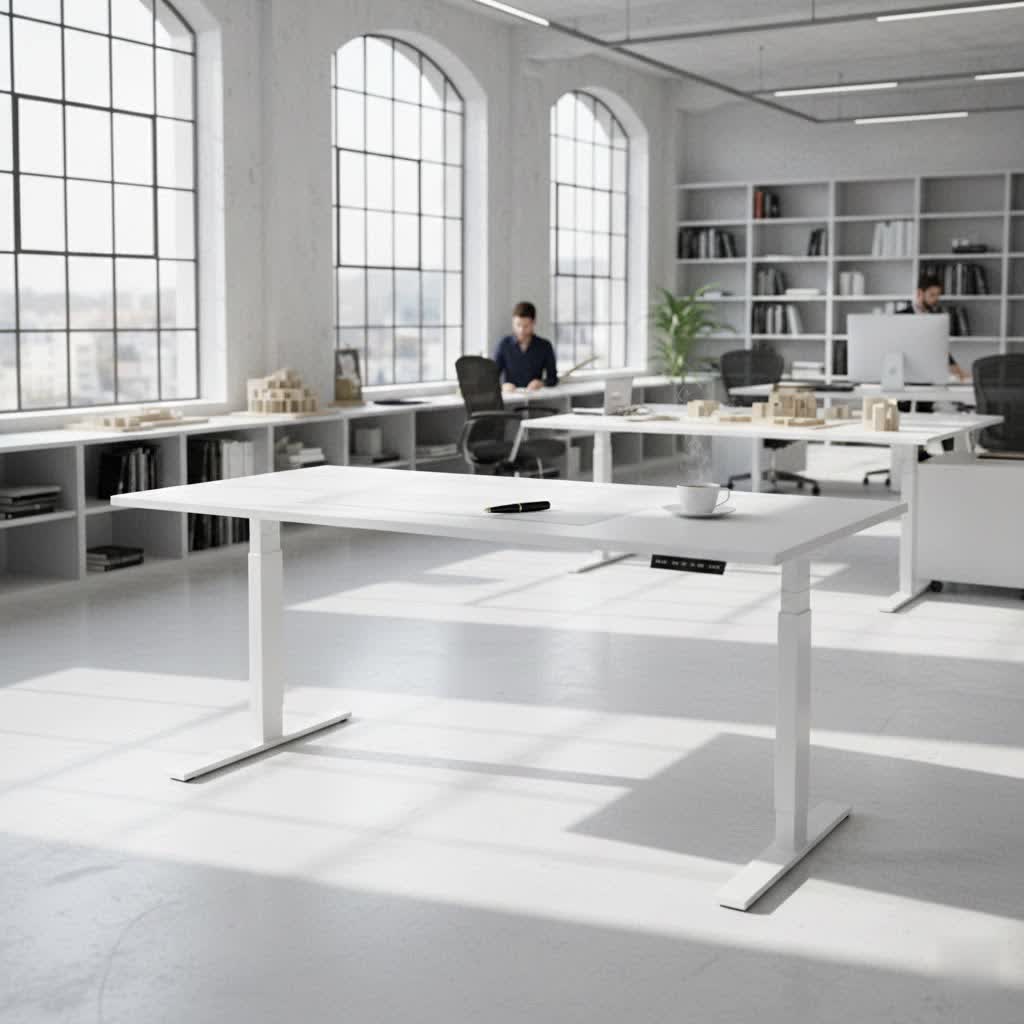
Choosing the Right Standing Desk: A Detailed Guide
Selecting the ideal adjustable standing desk involves more than just picking a stylish piece of furniture. It requires understanding the various types available and carefully considering several key factors to ensure it meets your specific needs and integrates seamlessly into your workspace.
Popular Types of Standing Desks
Adjustable standing desks come in several forms, each offering unique advantages depending on your preferences and workspace requirements.
- Manual Height-Adjustable Desks: These desks rely on a hand-crank or a pneumatic system for height adjustments. They are typically more affordable, quieter as they lack motors, and don’t require proximity to a power outlet. The Ikea Trotten, for instance, is a popular manual option known for its balance of cost and quality.
- Electric Height-Adjustable Desks: The most common type, electric standing desks, use one, two, or even three motors to raise and lower the desktop with the push of a button. They often feature programmable height presets for easy transitions between sitting and standing positions. Most top-rated desks, such as the FlexiSpot E7 and Uplift V3, fall into this category, offering smooth and rapid movement.
- Standing Desk Converters (Risers): Instead of replacing your entire desk, a converter sits on top of your existing workstation, elevating your monitors and peripherals. They are an excellent solution for smaller spaces or if you prefer to keep your current desk setup while still enjoying the benefits of standing. The Flexispot AlcoveRiser and Branch Desk Riser are examples that offer convenient, movable standing options.
- L-Shaped Standing Desks: Designed for ample workspace or corner setups, these desks provide extensive surface area. Models like the FlexiSpot E7L are equipped with multiple motors (often three) to ensure stable and smooth height adjustments across the larger desktop.
- Specialized Standing Desks: Some desks are tailored for specific users, such as gamers. The Secretlab Magnus Pro XL, for example, integrates unique features like advanced cable management and optional RGB lighting, catering to the needs of a gaming setup.
|
Our Picks for the Best Standing Desk in 2026
As an Amazon Associate I earn from qualifying purchases.
|
||
| Num | Product | Action |
|---|---|---|
| 1 | Ergear Height Adjustable Electric Standing Desk, 48x24 Inches Sit Stand up Memory Computer Home Office Desk (Natural),(EGESD5N) |

|
| 2 | Veken 55 Inch Large Electric Standing Desk, Heights Adjustable, Sit to Stand Up, Work Home Office Computer Table for Study, Walking Pad, Writing, and Games, Wooden Desktop Desks, Brown |
|
| 3 | Veken 55 Inch Large Electric Standing Gaming Desk, Heights Adjustable,Sit to Stand Up, Work Home Office Computer Table for Study, Walking Pad, Writing, and Games, Wooden Desktop Desks, Black |
|
| 4 | ErGear Height Adjustable Electric Standing Desk, 48 x 24 Inches Sit Stand up Desk, Memory Computer Home Office Desk with Two-Piece Desktop (Vintage Brown) |
|
| 5 | Veken 55 Inch Large Electric Standing Desk, 4 Memory Heights Adjustable,Sit to Stand Up, Work Home Office Computer Table for Study, Walking Pad, Writing, and Games, Wooden Desktop Desks, Nature Wood |
|
| 6 | Veken 55 Inch Large Electric Standing Desk,Sit to Stand Up, Heights Adjustable, Work Home Office Computer Table for Study, Walking Pad, Writing, and Games, Wooden Desktop Desks, White |
|
| 7 | HUANUO 32" Small Electric Standing Desk Adjustable Height, 4 Memory Height Settings, Sit Stand Up Desk for Home Office & Computer Workstation, LightWalnut |
|
| 8 | ErGear Height Adjustable Electric Standing Desk, 48 x 24 Inches Sit Stand up Desk, Memory Computer Home Office Desk with Two-Piece Desktop (Walnut) |
|
| 9 | ErGear Height Adjustable Electric Standing Desk, 48 x 24 Inches Sit Stand up Desk, Memory Computer Home Office Desk with Two-Piece Desktop (White) |
|
| 10 | ErGear Height Adjustable Electric Standing Desk, 48 x 24 Inches Sit Stand up Desk, Memory Computer Home Office Desk with Two-Piece Desktop (Grey) |
|
Key Factors to Consider When Buying a Standing Desk
Before making a purchase, evaluating these elements will help you find a desk that provides both comfort and functionality.
- Size and Workspace: Measure your available space meticulously to ensure the desk fits without overcrowding. Consider how many monitors, accessories, and personal items you need to accommodate. Desks like the Branch Duo offer smaller footprints ideal for compact home offices, while larger L-shaped options provide expansive work surfaces.
- Height Adjustment Range: This is paramount for ergonomic comfort. Ensure the desk’s minimum and maximum heights comfortably accommodate your sitting and standing postures. When standing, your elbows should form a 90-degree angle with your arms and wrists resting flat on the desk, and your monitor should be at eye level to prevent neck or shoulder strain.
- For users under 5’4″, a range of 23-42 inches (58-107cm) is often suitable.
- Those between 5’4″ and 6′ typically need 25-47 inches (63-119cm).
- For users over 6′, a desk that reaches 28-51 inches (71-130cm) or above is recommended.
- Material and Durability: Prioritize high-quality materials for longevity. Options like hardwood veneers, tempered glass, or powder-coated steel not only look good but also ensure stability and resilience. Desktop materials vary from laminates to sustainable bamboo, rubberwood, birch, and walnut.
- Lifting Capacity (Weight Limit): This specifies the maximum weight the desk can support while operating smoothly. If you plan to load your desk with multiple monitors, a heavy PC, or other equipment, a higher weight capacity (e.g., 300+ lbs) is crucial. Dual-motor desks generally offer superior lifting capabilities.
- Motor System (Single vs. Dual/Triple): Electric desks typically come with single, dual, or triple motors. Dual-motor systems are generally recommended as they provide faster, smoother, and quieter adjustments, along with better stability, especially when weight is unevenly distributed. Single-motor desks, often found in budget models, can be slower and louder. Triple motors are used for larger L-shaped desks to ensure consistent movement.
- Stability: A stable desk prevents wobbling, especially at its highest extension. Desks with robust frames and well-engineered leg designs (e.g., four-legged options like the FlexiSpot E7 Plus) tend to offer superior stability.
- Additional Features: Modern standing desks offer a variety of features that enhance convenience:
- Programmable Presets: Store your preferred sitting and standing heights for one-touch adjustments.
- Anti-Collision Detection: Automatically stops the desk from moving if it encounters an obstruction, preventing damage or injury.
- Cable Management: Integrated trays, grommets, or magnetic runners help keep your workspace tidy and free of tangled wires.
- Drawers and Storage: Built-in drawers or attachable storage solutions provide space for stationery, laptops, and other essentials.
- USB Ports & Wireless Charging: Conveniently charge your devices directly from your desk.
- Integrated Reminders: Some desks, like the Branch Duo, can remind you to switch between sitting and standing positions throughout the day.
- Dry-Erase Surface: A tempered glass top that doubles as a whiteboard, perfect for quick notes (e.g., Seville Classics Airlift).
- Assembly: Ease of assembly varies significantly between models. Some desks can be put together in as little as 15-30 minutes by one person (e.g., FlexiSpot Comhar, Branch Standing Desk), while others may require two people and more time (e.g., Secretlab Magnus Pro XL, Branch Four Leg Standing Desk).
- Warranty: A good warranty (typically 5-15 years for the frame and motors) indicates the manufacturer’s confidence in their product’s durability and quality. Brands like FlexiSpot, Uplift, and Herman Miller Jarvis often offer extended warranties.
Comparison of Popular Adjustable Standing Desks
| Brand | Model | Motor | Height Range (inches) | Lift Capacity (lbs) | Warranty (years) | Key Advantages | Key Disadvantages |
|---|---|---|---|---|---|---|---|
| FlexiSpot | E7 | Dual | 22.8 – 48.4 | 355 | 10-15 | Stable, quiet, smooth operation, high lifting capacity, functional keypad, versatile for accessories. | Not the cheapest option. |
| Fezibo | Electric Standing | Single | 27.4 – 46.1 | 176 | 2-5 | Affordable, built-in storage (drawers), two-tier design, headphone hook, range of sizes/colors. | Narrow workspace, slower motor, basic features compared to premium models. |
| Branch | Duo | Dual | 28 – 48 | 275 | 10 | Sturdy, attractive, integrated reminders, sleek design, good for smaller spaces, quality materials. | Surface may chip/fingerprint, less intuitive display, no USB charging on paddle, not for multiple large monitors. |
| Uplift | V3 (Based on V2) | Dual | 22 – 50 | 355 | 15 | Highly customizable (materials, colors, accessories), solid wood upgrades, fast/quiet movement, excellent stability. | Higher price point, some add-ons may feel less robust. |
| Secretlab | Magnus Pro XL (Gaming) | Dual | 25.6 – 49.2 | 265 | 5 | Integrated power & cable management, all-metal construction, built-in control panel, ideal for gamers. | Heavy, challenging one-person assembly, premium price, non-wood desktop. |
Buying Guide for Your Adjustable Standing Desk
Navigating the market can be daunting, but a structured approach simplifies the process.
- Determine Your Usage Needs: Clearly define what you need the desk for. Is it for a dedicated home office, a multi-monitor gaming setup, a small corner, or occasional use? This will guide your choices on size, features, and motor type.
- Set a Realistic Budget: Standing desk prices vary widely. Manual desks and converters are typically more budget-friendly, while electric, feature-rich, or executive models command higher prices. Knowing your budget upfront will help narrow down options. The Ikea Trotten is a favorite under $350.
- Research and Compare Thoroughly: Read expert reviews and consumer feedback. Pay attention to common praises and complaints, especially regarding stability, motor noise, assembly difficulty, and material quality. Compare specifications like height range, lift capacity, and warranty across different models.
- Purchase from Reputable Suppliers: Choose vendors with clear return policies, comprehensive warranties, and good customer service. This ensures peace of mind and support if any issues arise.
- Inspect Upon Arrival: Once your desk arrives, carefully check all components for any defects or damage before assembly. Ensure all parts are present and accounted for.
Benefits of Using a Standing Desk
Embracing a sit-stand work routine offers a myriad of health and productivity advantages.
- Improved Health: Regular transitions between sitting and standing can significantly reduce the risks associated with prolonged sedentary behavior, such as cardiovascular disease, type 2 diabetes, and obesity. It also helps alleviate common complaints like lower back and neck pain by reducing continuous strain on these areas.
- Increased Energy and Focus: Standing naturally keeps you more alert and engaged than sitting. This change in posture can combat the afternoon slump, leading to sustained energy levels and enhanced concentration throughout the workday.
- Reduced Back and Neck Pain: Alternating your posture minimizes the static load on your spine and muscles, which is a major contributor to discomfort. Many users report a significant decrease in pain after switching to an adjustable standing desk.
- Improved Posture: Standing encourages a more upright posture, strengthening core muscles and promoting better spinal alignment over time.
- Boosted Creativity: Changing your physical environment and posture can stimulate cognitive function and creativity, helping you think more clearly and generate new ideas.
- Increased Calorie Burn: While not a substitute for exercise, standing burns approximately 54 more calories per day than sitting, contributing to a more active lifestyle and helping counteract the effects of prolonged sitting.
> “There are many potential downsides of sitting at a desk for prolonged periods,” says physiotherapist Thomas Olsen. “Standing desks can be great, as [they] allow us to break up the act of sitting, which can be a big factor as to why we get low back pain.”
Conclusion
The journey to finding your Best Adjustable Standing Desk is an investment in your health, comfort, and productivity. By understanding the diverse types available, diligently considering crucial factors like height range, stability, and features, and leveraging expert insights, you can select a desk that truly transforms your workspace. Remember, the goal isn’t to stand all day, but to integrate movement and varied postures into your routine. This balance is key to unlocking the full spectrum of benefits a standing desk offers, helping you feel more energized, focused, and healthier every day.
What specific feature do you believe would make the most significant difference in your daily work routine?
Frequently Asked Questions
How long should you use a sit-stand desk?
Experts suggest following a “20-8-2 rule”: sit for 20 minutes, stand for 8 minutes, and move around for 2 minutes. The key is to avoid staying in any single position for too long to maximize benefits and prevent fatigue.
Are standing desks worth it?
Yes, standing desks are generally considered worth the investment, especially if you experience back or neck pain from prolonged sitting. They can improve productivity, mood, and overall health by promoting movement and reducing sedentary time, though they alone won’t solve all health problems.
How tall should a standing desk be?
The ideal standing desk height allows your elbows to form a 90-degree angle with your arms and wrists resting comfortably on the desk, and your monitor at eye level. This ergonomic setup prevents strain and ensures maximum comfort, with specific heights varying based on your individual stature.
What are the negatives of a standing desk?
While beneficial, standing all day can lead to foot and leg fatigue as you adjust. It’s crucial to alternate between sitting and standing and to wear comfortable, supportive footwear. Standing desks are a tool to encourage movement, not a standalone solution for a sedentary lifestyle.
How long will a standing desk last?
The lifespan of a standing desk largely depends on its build quality, materials, and usage. A well-made desk with quality components and a good warranty (often 5 to 15 years) can be expected to last between five and ten years or even longer with proper care and maintenance.
Do electric standing desks require proximity to a plug socket?
Yes, electric standing desks need to be plugged into a power outlet to operate their motors for height adjustments. If you have a desktop computer or other electronic accessories, you’ll also need nearby power. Manual standing desks, however, do not require power.
Do you burn more calories while using a standing desk?
Using a standing desk can help you burn slightly more calories compared to sitting, approximately an additional 54 calories per day. While not a significant amount for weight loss on its own, this subtle increase contributes to being more active and helps counteract the risks associated with prolonged sitting.
