In today’s fast-paced world, many of us find ourselves spending countless hours seated, tethered to our computers. This sedentary routine, while seemingly harmless, can silently chip away at our health, leading to discomfort, fatigue, and even chronic health issues. The good news is, a simple yet powerful solution exists: the desktop standing desk. This comprehensive guide will navigate you through everything you need to know, from understanding the various types and crucial buying factors to unlocking the profound health and productivity benefits, ensuring you find the ideal standing desk to transform your workday.
Understanding Desktop Standing Desks
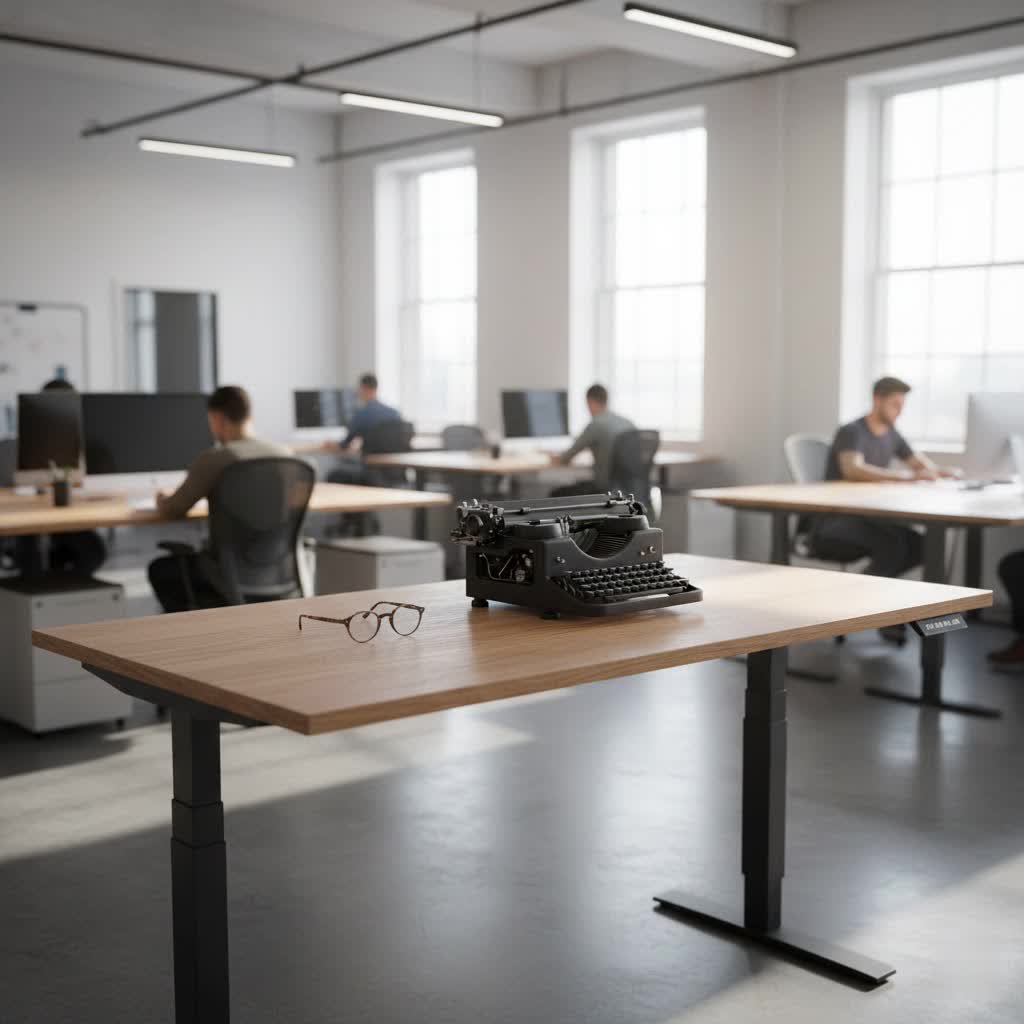
A desktop standing desk isn’t just a trend; it’s an ergonomic investment designed to counteract the adverse effects of prolonged sitting. Essentially, it allows you to seamlessly transition between sitting and standing positions throughout your workday, promoting movement and a more dynamic posture. Whether it’s a full, height-adjustable desk that replaces your existing one, or a converter that sits atop your current workspace, the core principle remains the same: empowering you to change positions frequently, leading to a healthier, more engaged work routine.
Types of Desktop Standing Desks
The market offers a diverse range of standing desk solutions, each catering to different needs, budgets, and workspace configurations. Understanding these types is the first step toward making an informed choice.
Full Standing Desks
These are complete desk units designed from the ground up to be height-adjustable. They replace your traditional desk entirely and offer the most integrated experience.
- Electric Standing Desks: The most popular choice, these desks feature electric motors (often dual-motor systems) that smoothly and quietly adjust the desk height with the push of a button. Many come with programmable memory presets, allowing you to save your ideal sitting and standing heights for quick transitions. High-quality electric desks often boast three-stage legs for an extended height range and enhanced stability, along with anti-collision sensors for safety. Brands like FlexiSpot, Uplift, and Branch offer robust electric models.
- Manual Standing Desks: Operated via a hand crank, these desks are generally more affordable and don’t require power outlets. While they offer the same sit-stand flexibility, adjustments are slower and might require more effort. They can also sometimes be less stable at higher settings compared to their electric counterparts.
|
Our Picks for the Best Standing Desk in 2026
As an Amazon Associate I earn from qualifying purchases.
|
||
| Num | Product | Action |
|---|---|---|
| 1 | Veken 55 Inch Large Electric Standing Desk, Heights Adjustable, Sit to Stand Up, Work Home Office Computer Table for Study, Walking Pad, Writing, and Games, Wooden Desktop Desks, Brown |

|
| 2 | ErGear Height Adjustable Electric Standing Desk, 48 x 24 Inches Sit Stand up Desk, Memory Computer Home Office Desk with Two-Piece Desktop (Walnut) |
|
| 3 | ErGear Height Adjustable Electric Standing Desk, 48 x 24 Inches Sit Stand up Desk, Memory Computer Home Office Desk with Two-Piece Desktop (Vintage Brown) |
|
| 4 | ErGear Height Adjustable Electric Standing Desk, 48 x 24 Inches Sit Stand up Desk, Memory Computer Home Office Desk with Two-Piece Desktop (Grey) |
|
| 5 | Veken 55 Inch Large Electric Standing Desk, 4 Memory Heights Adjustable,Sit to Stand Up, Work Home Office Computer Table for Study, Walking Pad, Writing, and Games, Wooden Desktop Desks, Nature Wood |
|
| 6 | Ergear Height Adjustable Electric Standing Desk, 48x24 Inches Sit Stand up Memory Computer Home Office Desk (Natural),(EGESD5N) |
|
| 7 | HUANUO 32" Small Electric Standing Desk Adjustable Height, 4 Memory Height Settings, Sit Stand Up Desk for Home Office & Computer Workstation, LightWalnut |
|
| 8 | Veken 55 Inch Large Electric Standing Desk,Sit to Stand Up, Heights Adjustable, Work Home Office Computer Table for Study, Walking Pad, Writing, and Games, Wooden Desktop Desks, White |
|
| 9 | Veken 55 Inch Large Electric Standing Gaming Desk, Heights Adjustable,Sit to Stand Up, Work Home Office Computer Table for Study, Walking Pad, Writing, and Games, Wooden Desktop Desks, Black |
|
| 10 | ErGear Height Adjustable Electric Standing Desk, 48 x 24 Inches Sit Stand up Desk, Memory Computer Home Office Desk with Two-Piece Desktop (White) |
|
Standing Desk Converters (Desktop Risers)
If replacing your entire desk isn’t an option, a standing desk converter is an excellent alternative. These units are placed directly on top of your existing desk, effectively transforming it into a height-adjustable workstation.
- Overview: Converters are ideal for renters, those with limited space, or individuals seeking a more budget-friendly entry into the world of standing desks. They come in various designs, including X-lift, Z-lift, and post-and-base systems, some even offering electric adjustment like the UPLIFT E7 converter.
- Advantages & Disadvantages: While converters are cost-effective and portable, they might impact your seated ergonomic posture by raising your monitor or keyboard too high. They also typically offer less surface area and can sometimes exhibit more wobble, especially at their maximum height. However, reputable brands like VariDesk, Ergotron, and Branch Desk Riser provide sturdy options that minimize these drawbacks.
Factors to Consider When Choosing a Desktop Standing Desk
Selecting the right standing desk involves more than just picking a design you like. Several critical factors will influence its functionality, comfort, and longevity in your workspace.
Size and Workspace
Before anything else, measure your available space. Consider the dimensions of the desktop itself (width and depth) and ensure it accommodates all your equipment (monitors, laptop, accessories) without feeling cramped. Standard widths range from 40 to 80 inches, with depths typically between 24 and 30 inches. For expansive setups or corner spaces, L-shaped standing desks are also available, offering a vast work surface.
Height Adjustment Range and Ergonomics
The desk’s height adjustment range is paramount for ensuring proper ergonomics for your body, whether sitting or standing. Your ideal standing height should allow your monitor to be at eye level and your elbows to form a 90-100 degree angle with your hands resting on the keyboard. For shorter or taller users, a wider height range, often provided by three-stage legs (as seen in models like the FlexiSpot E7 Pro, offering a range from 22.8 inches to 50.6 inches), is crucial for achieving optimal posture.
Stability and Weight Capacity
No one wants a wobbly desk, especially when it holds expensive equipment. Stability is a top concern, influenced by the frame’s construction, leg stages, and overall material quality. Heavier frames and four-leg designs generally offer superior stability compared to two-leg setups. Ensure the desk’s weight capacity can comfortably support your monitors, desktop PC, and other accessories without strain. While some minor wobble can be inherent at maximum standing height, high-quality desks minimize this significantly.
Desktop Material and Durability
The material of your desk’s surface impacts both aesthetics and durability.
- Laminate: An affordable and versatile option, available in numerous finishes. It’s generally durable for several years.
- Bamboo: Known for its hardness, durability, and unique natural aesthetic.
- Solid Wood: Offers premium aesthetics and exceptional durability, with options like rubberwood performing similarly to pricier woods like walnut.
- Specialized Surfaces: Some desks feature whiteboard surfaces for note-taking, or sleek glass tops for a modern look.
Motor Performance (for Electric Models)
For electric standing desks, the motor system defines the user experience.
- Single vs. Dual Motors: Dual motors typically offer smoother, quieter, and faster adjustments, along with a higher lifting capacity.
- Noise Level: Look for desks with quiet operation to avoid disruptions.
- Memory Presets: Essential for quickly recalling your preferred sitting and standing heights.
- Anti-Collision Sensors: A safety feature that stops the desk from moving if it encounters an obstruction.
Additional Features and Accessories
Consider extra features that enhance your workspace:
- Cable Management: Trays or channels to keep cords organized and out of sight.
- Integrated Power Outlets/USB Ports: Convenient for charging devices directly at your desk.
- Monitor Arms: Free up desktop space and allow for precise monitor positioning.
- Anti-Fatigue Mats: A lifesaver for prolonged standing sessions, reducing foot and leg strain.
- Caster Wheels: Add mobility to your desk, making it easy to move for cleaning or reconfiguring your space.
- Keyboard Trays: Can improve seated ergonomics by allowing a lower keyboard position.
Benefits of Using a Desktop Standing Desk
The advantages of incorporating a desktop standing desk into your routine extend far beyond simply having a cool piece of office furniture. They impact both your physical well-being and cognitive performance.
- Improved Health:
- Reduced Back and Neck Pain: Alternating positions alleviates pressure points, reducing the common aches associated with prolonged sitting.
- Enhanced Circulation and Energy: Standing encourages better blood flow, delivering more oxygen to your muscles and brain, which can significantly boost energy levels and alertness.
- Lower Risk of Chronic Diseases: Counteracting sedentary behavior helps reduce the risk of serious conditions like heart disease, type 2 diabetes, and obesity.
- Modest Calorie Burn: While not a substitute for exercise, standing burns more calories than sitting, contributing to overall metabolic health.
- Better Posture and Wrist Ergonomics: Proper setup promotes a straighter spine and a neutral wrist position, preventing strain.
- Improved Mood: Studies suggest that regular movement and less sitting can lead to reduced psychological distress and a more positive outlook.
- Increased Productivity and Focus:
- Higher Alertness and Concentration: The physical act of standing can help you feel more awake and engaged, improving your ability to concentrate on tasks.
- Greater Engagement and Creativity: Changing positions can break monotony, stimulate thought processes, and foster a more dynamic work environment that encourages innovative ideas.
- Reduced Distractions: Being more physically active can help you stay present and less prone to digital distractions. In a study from Texas A&M University, employees using standing desks reported a 50% increase in productivity.
How to Effectively Use Your Desktop Standing Desk
Simply owning a standing desk isn’t enough; maximizing its benefits requires mindful usage and a commitment to ergonomic principles.
- Alternating Positions is Key: The goal is not to stand all day, but to alternate. Aim for a 2:1 or 3:1 ratio of standing to sitting. Start with 15-30 minute standing intervals and gradually increase as your body adapts.
- Ergonomic Setup:
- Monitor Placement: Position your monitor so the top third of the screen is at eye level when you’re standing (and sitting). It should be an arm’s length away.
- Elbow and Wrist Position: Your elbows should be at a 90-100 degree angle, and your wrists should remain neutral (flat, not bent up or down) when typing or using a mouse.
- Foot Support: When standing for extended periods, an anti-fatigue mat is highly recommended to cushion your feet and reduce strain on your joints.
- Gradual Transition: Don’t feel pressured to stand for hours immediately. Listen to your body, start with shorter periods, and gradually build up your standing tolerance over time.
Comparison Table: Popular Desktop Standing Desk Types
Choosing the right desk often comes down to balancing features, budget, and personal workspace needs. Here’s a quick comparison of the main types:
| Type | Pros | Cons | Ideal For |
|---|---|---|---|
| Electric Standing Desk | Smooth, quiet, programmable height, high weight capacity, superior stability. | Higher initial cost, assembly required, takes up permanent space. | Users seeking full customization, maximum stability, long-term ergonomic solutions. |
| Manual Standing Desk | More affordable, no power needed, simple mechanism, often lighter. | Slower adjustment, can be less stable, limited features. | Budget-conscious users, those needing occasional height changes without advanced features. |
| Standing Desk Converter | Affordable, portable, uses existing desk, easy setup (often pre-assembled). | Can impact seated ergonomics, limited space, potential wobble, less integrated aesthetic. | Renters, those with limited space, budget-friendly option to try standing, temporary setups. |
“After a decade immersed in standing desk technology, I’ve learned that the true value isn’t just in the desk itself, but in how it empowers you to listen to your body and integrate dynamic movement into your workday. It’s an investment in your long-term health and peak performance.” – Admin of ReviewCiel, Standing Desk Specialist
Conclusion
The journey to a healthier and more productive work life often begins with a single, thoughtful change: embracing the desktop standing desk. By offering the flexibility to seamlessly shift between sitting and standing, these innovative workstations combat the pitfalls of prolonged sitting, alleviating discomfort, boosting energy, and sharpening focus. Whether you opt for a fully integrated electric model or a convenient converter, the key is to choose a desk that aligns with your specific needs, workspace, and ergonomic requirements. Investing in a desktop standing desk is more than just buying furniture; it’s a commitment to your long-term well-being and peak performance. Are you ready to transform your work routine and experience the profound benefits for yourself?
Frequently Asked Questions
Are standing desks better than sitting desks?
Standing desks, when used to alternate between sitting and standing, offer significant health benefits like reduced back pain, improved circulation, and increased focus compared to prolonged sitting. They are not meant for exclusive standing, but for promoting dynamic movement throughout the day, making them a healthier choice for most users.
How long should I stand at a desktop standing desk each day?
Experts recommend alternating between sitting and standing, with a common guideline being a 2:1 or 3:1 ratio of standing to sitting. Start with 15-30 minute standing intervals and gradually increase as comfort allows, ensuring you don’t overdo it to avoid fatigue or discomfort.
What is the ideal ergonomic height for a standing desk?
When standing, your monitor should be at eye level, and your elbows should form a 90-100 degree angle when your hands are on the keyboard. Your wrists should remain neutral. For sitting, ensure your feet are flat on the floor and elbows are at the same comfortable angle, adjusting your chair and desk accordingly.
Do standing desk converters wobble at their highest setting?
While high-quality full standing desks generally offer superior stability, some standing desk converters can exhibit a degree of wobble, especially at maximum height. Choosing models with weighted bases, robust X-lift mechanisms, or reputable brands known for their sturdy construction can help significantly minimize this.
What are essential accessories for a desktop standing desk setup?
Key accessories include an anti-fatigue mat to reduce strain during standing, a monitor arm for optimal screen positioning and to free up desk space, and a cable management system to keep your workspace tidy and safe. Some users may also benefit from a balance board or a dedicated ergonomic keyboard tray.
