Are you tired of the aches and stiffness that come with prolonged sitting, impacting your productivity and overall well-being? In today’s dynamic work environment, the shift towards ergonomic solutions like standing desks has become more than a trend; it’s a necessity for many. Among the leading brands, FlexiSpot stands out, offering a diverse range of height-adjustable desks designed to transform your office, whether at home or in a corporate setting. This comprehensive guide will walk you through the world of FlexiSpot standing desks, helping you understand their various models, essential features, and the profound benefits they bring, so you can make an informed decision and invest in a healthier, more active workday.
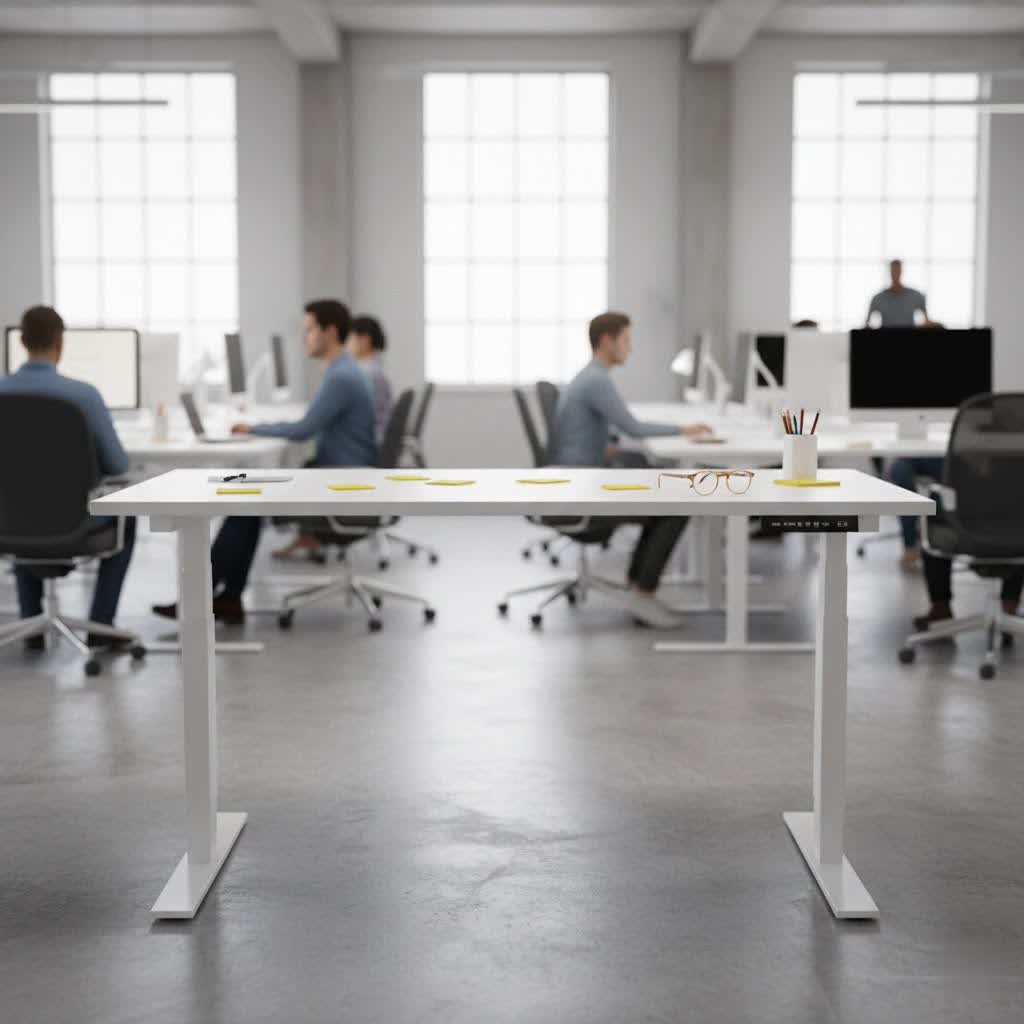
Choosing the Right FlexiSpot Standing Desk: A Detailed Guide
Selecting the perfect standing desk involves understanding the various types available and matching them to your specific needs. FlexiSpot specializes in electric height-adjustable desks, providing seamless transitions between sitting and standing postures with the touch of a button.
Popular FlexiSpot Standing Desk Types and Models
FlexiSpot offers a wide array of models, each with distinct features catering to different preferences and budgets. While FlexiSpot’s core strength lies in electric desks, variations come in frame design, motor systems, and desktop options.
- Electric Height Adjustable Desks: The cornerstone of FlexiSpot’s offerings, these desks utilize single or dual motor systems for smooth and quiet height adjustments. Dual motor systems, featured in many of their popular models like the E7 and E7 Pro, typically offer greater stability, faster lift speeds, and higher weight capacities.
- Corner/L-Shaped Desks: For those requiring ample workspace or seeking to optimize corner spaces, FlexiSpot provides L-shaped electric desks that offer expansive surface areas for multiple monitors and equipment.
- Compact Desks: Models like the Comhar series integrate a desktop and frame with features such as drawers and USB charging ports, often designed for smaller spaces while maintaining full functionality.
- Specialized Frames: FlexiSpot offers various frame designs, including T-frame and C-frame, each impacting stability and legroom. Enhanced lifting columns, often found in their E7 series and above, are designed for superior stability even under heavy loads.
|
Our Picks for the Best Standing Desk in 2026
As an Amazon Associate I earn from qualifying purchases.
|
||
| Num | Product | Action |
|---|---|---|
| 1 | ErGear Height Adjustable Electric Standing Desk, 48 x 24 Inches Sit Stand up Desk, Memory Computer Home Office Desk with Two-Piece Desktop (Vintage Brown) |

|
| 2 | Veken 55 Inch Large Electric Standing Desk,Sit to Stand Up, Heights Adjustable, Work Home Office Computer Table for Study, Walking Pad, Writing, and Games, Wooden Desktop Desks, White |
|
| 3 | Veken 55 Inch Large Electric Standing Desk, Heights Adjustable, Sit to Stand Up, Work Home Office Computer Table for Study, Walking Pad, Writing, and Games, Wooden Desktop Desks, Brown |
|
| 4 | HUANUO 32" Small Electric Standing Desk Adjustable Height, 4 Memory Height Settings, Sit Stand Up Desk for Home Office & Computer Workstation, LightWalnut |
|
| 5 | Veken 55 Inch Large Electric Standing Gaming Desk, Heights Adjustable,Sit to Stand Up, Work Home Office Computer Table for Study, Walking Pad, Writing, and Games, Wooden Desktop Desks, Black |
|
| 6 | ErGear Height Adjustable Electric Standing Desk, 48 x 24 Inches Sit Stand up Desk, Memory Computer Home Office Desk with Two-Piece Desktop (White) |
|
| 7 | ErGear Height Adjustable Electric Standing Desk, 48 x 24 Inches Sit Stand up Desk, Memory Computer Home Office Desk with Two-Piece Desktop (Grey) |
|
| 8 | Veken 55 Inch Large Electric Standing Desk, 4 Memory Heights Adjustable,Sit to Stand Up, Work Home Office Computer Table for Study, Walking Pad, Writing, and Games, Wooden Desktop Desks, Nature Wood |
|
| 9 | Ergear Height Adjustable Electric Standing Desk, 48x24 Inches Sit Stand up Memory Computer Home Office Desk (Natural),(EGESD5N) |
|
| 10 | ErGear Height Adjustable Electric Standing Desk, 48 x 24 Inches Sit Stand up Desk, Memory Computer Home Office Desk with Two-Piece Desktop (Walnut) |
|
Common models you’ll encounter include the E5, E7, E7 Pro, and E8, each incrementally improving on features like stability, weight capacity, and leg design. The E7, for example, is a best-selling model known for its value, while the E7 Pro offers significant upgrades in lifting capacity and comes with integrated cable management. The E8 distinguishes itself with a sleek, oval-shaped leg design for a more rounded aesthetic.
Essential Factors to Consider When Buying a FlexiSpot Standing Desk
Before committing to a FlexiSpot standing desk, several key factors should influence your decision to ensure it perfectly aligns with your workspace and work habits.
- Size and Workspace: Accurately measure your available space to choose a desktop size that fits comfortably without overcrowding. FlexiSpot offers a range of desktop dimensions and adjustable frames that can accommodate various top sizes, typically from 48×24 inches up to 80×30 inches or larger.
- Height Adjustability: Crucially, select a desk with a height range that suits your body. A good standing desk should allow you to achieve an ergonomic posture both sitting and standing, with your elbows forming a 90-degree angle at both positions. FlexiSpot desks often accommodate a wide range of users, with models like the E7 suitable for heights from 4’2″ to over 6’4″.
- Material and Durability: FlexiSpot desks are known for their sturdy construction. Their frames often feature solid carbon steel, and the company employs laser-welding techniques for enhanced durability and a sleek “holeless” leg design. Desktop materials vary, including sustainable bamboo, solid wood, eco-friendly chipboard, and fine-textured fiberboard (MDF), allowing you to choose based on aesthetics and resilience.
- Weight Capacity: Consider the total weight of your equipment, including monitors, CPU, accessories, and anything else you plan to place on your desk. FlexiSpot models have varying weight capacities; for instance, the E7 boasts a capacity of around 355 lbs (125 kg), while the E7 Pro can handle up to 440 lbs (160 kg), making it suitable for even the heaviest setups.
- Stability: This is paramount for a standing desk. Look for models with dual motors and robust leg columns that ensure minimal wobble, especially at higher settings. FlexiSpot’s E7 and E7 Pro are often praised for their rock-solid stability, even when fully extended.
- Additional Features and Accessories: Modern standing desks come with convenient extras. FlexiSpot offers keypads with memory presets to save your preferred sitting and standing heights, a child-lock function, and often an integrated USB charging port for your devices. Look for built-in or optional cable management solutions, such as trays and magnetic covers, to keep your workspace tidy. Casters for mobility, under-desk drawers, and CPU holders are also valuable additions.
- Noise Level: While operating, an electric standing desk should be quiet. FlexiSpot’s dual motor systems typically operate at a whisper-quiet level, often below 50 dB, ensuring minimal disruption.
- Assembly: Most FlexiSpot desks are designed for relatively easy assembly, often taking 30-60 minutes. User reviews frequently highlight the straightforward setup process.
- Warranty and Customer Service: FlexiSpot offers competitive warranties, typically ranging from 5 to 10 years depending on the model. Their customer service is also frequently cited as responsive and helpful, offering peace of mind for your investment.
- Price and Value: FlexiSpot is generally positioned as a strong budget-to-mid-range option, offering excellent value for the quality and features provided. While there are more premium desks on the market, FlexiSpot delivers a robust and reliable product at an accessible price point.
Table: Comparing Popular FlexiSpot Standing Desk Models
| Model | Key Features | Pros | Cons | Price Range (Approx.) |
|---|---|---|---|---|
| E7 | Dual motor, 3-stage legs, good stability, 355 lbs (125 kg) capacity | Excellent value, sturdy, quiet operation, wide height range | Basic cable management (tray often separate) | Mid-range |
| E7 Pro | Enhanced stability, higher weight capacity (440 lbs/160 kg), integrated cable management, premium keypad | Extremely stable, robust build, superior load-bearing, clean aesthetic | Slightly higher price point than E7 | Mid-to-High |
| E8 | Dual motor, oval-shaped legs, similar specs to E7, sleek design | Modern aesthetic, good stability, quiet | Primarily a design variation from E7, not a functional upgrade | Mid-range |
| Q8 | Dual motor, unique bamboo top, built-in storage, USB ports | Integrated features, stylish, solid build | May be pricier for integrated features, specific aesthetic | High-end |
| Comhar | All-in-one desktop and frame, built-in drawers, USB-C/A ports, often glass top | Compact, integrated storage, sleek, easy assembly | Lower weight capacity than E-series, less customization | Entry-to-Mid |
FlexiSpot Buying Guide: Finding Your Perfect Fit
With so many options, how do you pinpoint the FlexiSpot desk that’s right for you? It’s a journey, not a sprint.
- Assess Your Needs: Begin by defining your primary use. Are you a gamer, a designer, a writer, or someone who simply wants a healthier home office? Consider your height, the amount of equipment you use, and whether you need integrated storage or charging. Your personal preferences for aesthetics, such as desktop material and leg color, also play a role.
- Set Your Budget: FlexiSpot offers solutions across various price points. Determine what you’re willing to invest, keeping in mind that a standing desk is a long-term investment in your health and productivity. Often, FlexiSpot offers promotions, so keeping an eye out for sales can be beneficial.
- Research and Compare: Dive into detailed reviews and comparisons of specific FlexiSpot models. Pay close attention to user experiences regarding stability, motor noise, and ease of assembly. Comparing specifications like height range and weight capacity is crucial.
- Consider Customization: Decide if you need extensive customization options for your desktop material, frame color, or specific accessories like monitor arms or CPU holders. While FlexiSpot offers solid choices, some models provide more flexibility than others.
- Check Warranty and Support: Verify the warranty period for your chosen model and understand the customer support options available. FlexiSpot is known for good customer service, which adds significant value to your purchase.
The Transformative Benefits of Using a Standing Desk
Embracing a standing desk like those from FlexiSpot can profoundly impact your health, energy, and overall work quality. It’s more than just a piece of furniture; it’s a wellness tool.
- Improved Health and Reduced Risks: Prolonged sitting is linked to various health issues, including heart disease, diabetes, obesity, and poor circulation. A standing desk allows you to alternate between sitting and standing, significantly mitigating these risks by encouraging more movement and calorie burning throughout the day.
- Reduced Back and Neck Pain: Many users experience chronic back and neck pain from poor posture while sitting. Regularly switching to a standing position helps alleviate pressure on your spine, strengthens core muscles, and promotes better posture, leading to a noticeable reduction in discomfort.
- Enhanced Energy and Focus: Standing naturally boosts your circulation and keeps you more alert than sitting. This increased blood flow to the brain can lead to higher energy levels, reduced feelings of fatigue, and improved concentration, helping you stay sharp and engaged throughout your workday.
- Increased Productivity and Creativity: With improved focus and energy, it’s natural to see a bump in productivity. The ability to shift your posture can also stimulate new thoughts and ideas, fostering a more creative and dynamic working environment.
- Better Posture: Standing encourages you to straighten up, aligning your spine and shoulders. Over time, this can lead to lasting improvements in your overall posture, even when you’re away from your desk.
“A FlexiSpot standing desk isn’t just about standing; it’s about dynamic movement, fostering an environment where health and productivity naturally intertwine.”
Conclusion
Investing in a FlexiSpot standing desk is a proactive step towards a healthier, more productive, and comfortable work life. With a wide array of models catering to diverse needs and budgets, FlexiSpot offers robust, stable, and feature-rich solutions designed to integrate seamlessly into any workspace. From the reliable E7 to the feature-packed E7 Pro and the sleek E8, you’re choosing a desk that promises ergonomic benefits, enhanced well-being, and a significant upgrade to your daily routine.
Ready to transform your workspace and experience the benefits of dynamic working? Explore FlexiSpot’s range today and discover the perfect standing desk that will elevate your health and productivity for years to come. What kind of impact do you think a standing desk could have on your daily work life?
Frequently Asked Questions
What are the differences between FlexiSpot E7 and E7 Pro standing desks?
The FlexiSpot E7 is a popular dual-motor standing desk offering excellent stability and a weight capacity of approximately 355 lbs (125 kg). The E7 Pro is an upgraded version with significantly improved stability and a higher weight capacity of around 440 lbs (160 kg). It also often includes advanced features like an integrated cable management system and a more premium keypad.
How stable are FlexiSpot desks at their highest settings?
FlexiSpot desks, especially models like the E7 and E7 Pro, are widely praised for their stability, even when fully extended to their maximum height. They achieve this through robust dual-motor systems, thicker leg columns, and a solid carbon steel base structure designed to minimize wobble and ensure a steady workspace under heavy loads.
Are FlexiSpot desks easy to assemble?
Many FlexiSpot standing desks are designed for straightforward and relatively quick assembly. User reviews frequently mention that the process typically takes between 30 to 60 minutes, with clear instructions provided. Some models may even come partially pre-assembled, further simplifying the setup.
What desktop materials does FlexiSpot offer?
FlexiSpot offers a variety of desktop materials to suit different aesthetic preferences and durability needs. Common options include eco-friendly bamboo, natural solid wood, durable chipboard (particle board) with various finishes, and high-density fiberboard (MDF) known for its smooth texture and resistance to warping.
How long is the warranty on FlexiSpot standing desks?
FlexiSpot typically offers competitive warranty periods for its standing desks, which can vary by model. Most frames come with a warranty ranging from 5 to 10 years, covering structural and motor components. It’s always recommended to check the specific warranty details for the model you are interested in.
