In today’s fast-paced world, many of us spend countless hours seated at a desk, a habit increasingly linked to numerous health issues, from back pain to chronic diseases. What if there was a simple yet powerful change you could make to transform your work life and well-being? Enter the standing desk – an innovative solution designed to counteract the negative effects of prolonged sitting. This comprehensive guide will walk you through the various types of standing desks, essential factors to consider before purchasing, and the profound benefits they offer, helping you choose the ideal standing desk to enhance your health and productivity.
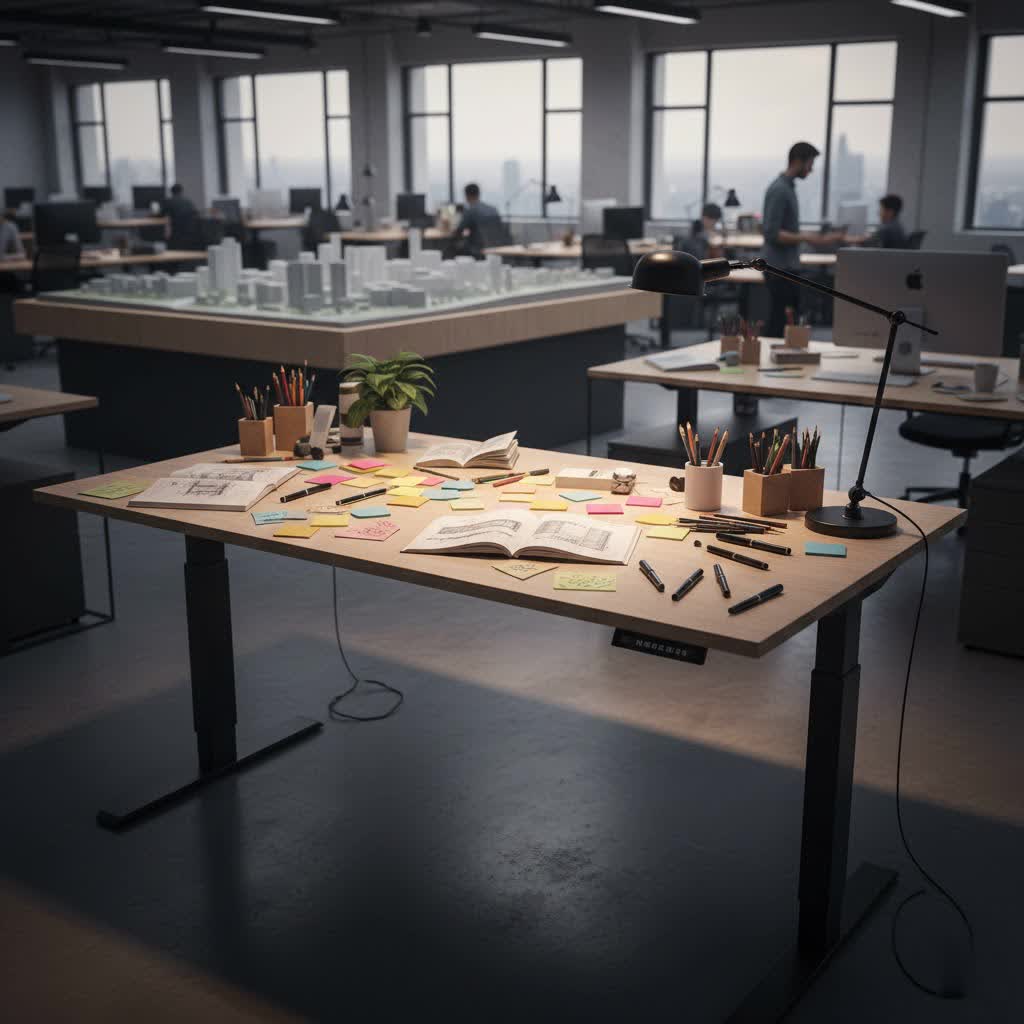
Choosing the Right Standing Desk: A Comprehensive Guide
Selecting the perfect standing desk involves understanding the different options available and evaluating them against your specific needs. With a wide array of designs and functionalities, finding the right fit for your workspace and lifestyle is key to unlocking its full potential.
Popular Types of Standing Desks
The world of standing desks offers diverse mechanisms and designs, each catering to different preferences and budgets. Understanding these distinctions is the first step toward making an informed decision.
- Manual Height Adjustable Standing Desks: These desks typically use a hand crank to raise and lower the desktop. They are often more cost-effective and require no electrical power, making them suitable for areas without easy access to outlets. However, adjusting the height can require significant physical effort and is slower, which might discourage frequent transitions between sitting and standing.
- Electric Height Adjustable Standing Desks: Powered by electric motors, these are the most popular type, offering effortless and smooth height adjustments with the push of a button. Many models include programmable memory presets, allowing you to save your preferred sitting and standing heights for quick transitions. While highly convenient, they rely on electricity and can sometimes be noisier, with motors that may experience wear and tear over time.
- Pneumatic Standing Desks: Utilizing a gas-lift mechanism, similar to an office chair, pneumatic desks offer quick, quiet, and smooth adjustments without the need for electricity. They are celebrated for their seamless operation and mobility. A potential drawback is that gas cylinders can lose pressure over time, especially if the desk’s weight limit is consistently exceeded, affecting its ability to hold position.
- Standing Desk Converters: Instead of replacing your entire desk, a converter sits on top of your existing workstation, transforming it into a sit-stand setup. These are generally the most affordable option and require minimal assembly. However, they often offer a smaller work surface and can be heavy, potentially limiting your overall desk space and arrangement.
- Fixed Height Standing Desks: Designed for exclusive standing use, these desks are set at a predetermined ergonomic height. While less versatile, they can be ideal for specific applications like treadmill desks, encouraging constant light movement throughout the workday.
- L-shaped Standing Desks: Offering an expansive work surface, L-shaped standing desks are perfect for users with multiple monitors, extensive equipment, or those who need ample space for spreading out documents. Their larger footprint makes them ideal for dedicated office spaces.
- Mobile Height Adjustable Desks: Equipped with lockable wheels, these desks combine height adjustability with mobility. They are excellent for dynamic work environments, collaborative settings, or for users who need to move their workstation frequently within their home or office.
- Compact Height Adjustable Desks: Specifically designed for smaller rooms or shared spaces, these desks provide the benefits of height adjustment in a reduced footprint, allowing users to create an ergonomic workstation even in limited areas.
|
Our Picks for the Best Standing Desk in 2026
As an Amazon Associate I earn from qualifying purchases.
|
||
| Num | Product | Action |
|---|---|---|
| 1 | Veken 55 Inch Large Electric Standing Desk, 4 Memory Heights Adjustable,Sit to Stand Up, Work Home Office Computer Table for Study, Walking Pad, Writing, and Games, Wooden Desktop Desks, Nature Wood |

|
| 2 | ErGear Height Adjustable Electric Standing Desk, 48 x 24 Inches Sit Stand up Desk, Memory Computer Home Office Desk with Two-Piece Desktop (White) |
|
| 3 | HUANUO 32" Small Electric Standing Desk Adjustable Height, 4 Memory Height Settings, Sit Stand Up Desk for Home Office & Computer Workstation, LightWalnut |
|
| 4 | Veken 55 Inch Large Electric Standing Gaming Desk, Heights Adjustable,Sit to Stand Up, Work Home Office Computer Table for Study, Walking Pad, Writing, and Games, Wooden Desktop Desks, Black |
|
| 5 | Ergear Height Adjustable Electric Standing Desk, 48x24 Inches Sit Stand up Memory Computer Home Office Desk (Natural),(EGESD5N) |
|
| 6 | Veken 55 Inch Large Electric Standing Desk, Heights Adjustable, Sit to Stand Up, Work Home Office Computer Table for Study, Walking Pad, Writing, and Games, Wooden Desktop Desks, Brown |
|
| 7 | ErGear Height Adjustable Electric Standing Desk, 48 x 24 Inches Sit Stand up Desk, Memory Computer Home Office Desk with Two-Piece Desktop (Walnut) |
|
| 8 | ErGear Height Adjustable Electric Standing Desk, 48 x 24 Inches Sit Stand up Desk, Memory Computer Home Office Desk with Two-Piece Desktop (Vintage Brown) |
|
| 9 | Veken 55 Inch Large Electric Standing Desk,Sit to Stand Up, Heights Adjustable, Work Home Office Computer Table for Study, Walking Pad, Writing, and Games, Wooden Desktop Desks, White |
|
| 10 | ErGear Height Adjustable Electric Standing Desk, 48 x 24 Inches Sit Stand up Desk, Memory Computer Home Office Desk with Two-Piece Desktop (Grey) |
|
Factors to Consider When Buying a Standing Desk
Choosing the right standing desk means looking beyond just the type. Several critical factors will influence your experience and ensure your investment truly serves your needs.
- Size and Workspace: Begin by meticulously measuring your available space. Consider not only the desktop dimensions but also how the desk will fit within your room, especially when extended to its maximum height. Ensure there’s ample surface area to comfortably accommodate all your equipment, including monitors, keyboards, mice, and any necessary documents.
- Height Adjustment Range: A crucial ergonomic consideration is whether the desk’s height range adequately supports both your sitting and standing postures. The ideal range typically falls between 24 and 50 inches, ensuring you can achieve proper alignment whether sitting or standing.
- Material and Durability: The materials used in construction directly impact the desk’s longevity and aesthetics. Opt for durable, sturdy materials that can withstand daily use and are easy to clean. Common materials include laminate, solid wood, bamboo, and metal frames.
- Weight Capacity: Evaluate the total weight of your equipment, including monitors, computer towers, books, and accessories. A good rule of thumb is to look for a desk with a weight capacity of at least 176 lbs (80 kg) to ensure stability and safety, especially for setups involving multiple monitors.
- Stability: A wobbly desk can be incredibly distracting and uncomfortable. Stability is paramount, particularly at full standing height. Look for desks with three-stage legs, which typically offer greater overlap and sturdiness than two-stage designs. Four-leg frames generally provide up to 30% more stability than two-leg models. Heavier frames often indicate better build quality and reduced wobble.
- Noise Level: For electric desks, the noise level during adjustment can be a significant factor, especially in shared or quiet environments. Desks with dual motors tend to be quieter and offer smoother operation compared to single-motor options. Pneumatic desks are generally the quietest.
- Ease of Adjustment: Consider how often you plan to switch between sitting and standing. Electric desks with programmable presets offer the most convenience, allowing for quick, one-touch adjustments. Manual or crank desks require more effort, which might deter frequent position changes.
- Additional Features: Modern standing desks come with a host of supplementary features. Look for integrated cable management systems to keep your workspace tidy, built-in USB ports for convenient charging, drawers for storage, and anti-collision technology for safety.
- Assembly: Some desks arrive almost fully assembled, while others require extensive DIY. Research the assembly process and choose a desk that aligns with your comfort level for construction.
- Warranty and Return Policy: A solid warranty (e.g., 10-15 years on frame) and a flexible return policy indicate a manufacturer’s confidence in their product and provide peace of mind for your investment.
- Budget: Standing desks vary widely in price. Determine your budget beforehand and prioritize the features most important to you to find the best value within your price range.
Comparison Table of Popular Standing Desk Models
While specific models and their features evolve, certain brands consistently offer reliable options across different price points and use cases. This table provides a general overview based on common market offerings.
| Category | Brand/Type | Key Pros | Key Cons | Estimated Price Range |
|---|---|---|---|---|
| Overall Value | FlexiSpot E7 Series | Excellent stability, quiet operation, high weight capacity, programmable settings. | Assembly requires some effort; certain accessories are add-ons. | Mid-Range |
| Premium Performance | Uplift V2/V3 Series | Superior stability, extensive customization, durable build, ideal for corporate or heavy use. | Higher price point; can be overkill for basic setups. | High-End |
| Gaming & Cable Mgmt. | Secretlab Magnus Pro | Integrated power column, exceptional cable management, sleek gamer aesthetic, robust. | Primarily designed for gaming setups; premium price. | High-End |
| Budget-Friendly | Fezibo Electric Desks | Affordable entry point, decent features for the price, suitable for basic home office. | May have less refined build quality; potentially more wobble at height. | Budget-Range |
Standing Desk Buying Guide
Navigating the market for a standing desk can be exciting. By following these steps, you can streamline your decision-making process and confidently choose a desk that fits your life.
- Define Your Usage Needs: Start by asking yourself: What is the primary purpose of this desk? Will it be for intensive work, casual study, or gaming? How many monitors and peripherals will you be using? Clarifying these needs will help you determine the required size, weight capacity, and features.
- Set Your Budget: Standing desks range from affordable converters to high-end, feature-rich models. Establish a realistic budget that includes potential accessories like monitor arms or an anti-fatigue mat.
- Research and Compare: Read reviews from trusted sources and compare different models side-by-side. Pay attention to user feedback regarding stability, motor noise, ease of assembly, and long-term durability.
- Prioritize Ergonomics: Regardless of the desk type, ensure it supports proper ergonomic principles. When standing, your elbows should form a 90-degree angle, and the top of your monitor should be at eye level. An ergonomic setup is crucial for preventing strain.
- Choose Reputable Vendors: Purchase from companies with a strong reputation for quality products, excellent customer service, and robust warranty policies. This provides assurance for your investment.
- Test (If Possible): If you have the opportunity, visit a showroom to physically test desks. Feel the stability, experience the adjustment mechanism, and assess the desktop material firsthand. This can provide invaluable insights that online reviews might miss.
- Consider Essential Accessories: An anti-fatigue mat is highly recommended to alleviate discomfort from prolonged standing. Monitor arms can free up desk space and improve ergonomic positioning. Good cable management solutions are also vital for a clean, functional workspace.
Benefits of Using a Standing Desk
The transition to a standing desk is more than just a trend; it’s a commitment to a healthier, more dynamic work life. The benefits extend far beyond simply standing up.
- Improved Health: Prolonged sitting is a silent health threat. Standing desks offer a powerful antidote by promoting regular movement. This can lead to a reduction in blood sugar spikes after meals and contribute to lower blood pressure, significantly decreasing the risk of cardiovascular diseases and type 2 diabetes. Furthermore, by burning slightly more calories than sitting, standing can help reduce the risk of weight gain and obesity.
- Enhanced Well-being: Many users report a noticeable improvement in mood and energy levels when incorporating standing into their workday. The ability to change positions can combat the sluggishness often associated with long sitting periods, leaving you feeling more refreshed. Standing naturally engages your core muscles, contributing to a stronger core over time and promoting better overall posture.
- Reduced Back and Neck Pain: One of the most common complaints of desk workers is chronic back and neck pain. Standing desks empower you to break free from static postures, relieving pressure on your spine and muscles. Alternating between sitting and standing actively helps reduce discomfort and prevent musculoskeletal disorders by encouraging natural body movement.
- Increased Productivity and Focus: Counterintuitively, standing can actually boost your concentration and cognitive function. Increased blood flow to the brain can enhance alertness and improve information processing, leading to greater efficiency, especially during easier tasks or after extended periods of sitting.
“Integrating standing into your daily routine isn’t just about avoiding sitting; it’s about introducing dynamic movement that rejuvenates both your body and your mind, unlocking sustained focus and well-being.”
Conclusion
Embracing a standing desk is a strategic investment in your long-term health and productivity. By allowing you to seamlessly switch between sitting and standing, these innovative workstations help mitigate the risks of prolonged inactivity, alleviate physical discomfort, and boost your energy and focus. With a diverse range of types and features available, there’s a standing desk perfectly suited for every need and workspace. Carefully consider your requirements, explore the options, and choose a desk that empowers you to work smarter, healthier, and with greater vitality. Isn’t it time you stood up for your well-being?
Frequently Asked Questions
Are standing desks truly beneficial for health?
Yes, standing desks offer significant health benefits by reducing the amount of time spent in prolonged sitting. They help lower the risk of heart disease, diabetes, obesity, and alleviate back and neck pain. The key is to alternate between sitting and standing positions throughout the day, rather than standing continuously.
How often should I switch between sitting and standing?
While there’s no strict rule, many ergonomics experts recommend a “20-8-2 rule”: sitting for 20 minutes, standing for 8 minutes, and moving/stretching for 2 minutes within every 30-minute cycle. Gradually increasing your standing time and listening to your body’s signals is essential.
What is the ideal height for a standing desk?
When standing, your arms should form approximately a 90-degree angle at the elbows, with your forearms parallel to the floor. The top of your computer screen should be at or slightly below eye level. Most adjustable standing desks offer a height range from about 24 to 50 inches to accommodate diverse user heights.
Do standing desks wobble when fully extended?
The stability of a standing desk varies greatly depending on its design and build quality. High-quality models, particularly those with three-stage legs, four-leg frames, and heavier construction materials, are engineered to minimize wobble even at their maximum height. Cheaper, single-motor, or two-leg desks may exhibit more noticeable movement.
Can standing desks accommodate multiple monitors?
Absolutely. Most standing desks are designed to support multiple monitors, provided they have a sufficient work surface area and adequate weight capacity. Using monitor arms that clamp to the desk can further enhance ergonomics and free up valuable desktop space.
What accessories are recommended for a standing desk?
To maximize comfort and benefits, an anti-fatigue mat is highly recommended to cushion your feet and encourage subtle movements while standing. Other useful accessories include monitor arms for ergonomic screen positioning, cable management systems to keep your workspace tidy, and task lighting.
